

How TwendeTrips works
For travellers looking to join a trip, and for leaders looking to run one.
For travellers
Browse and pick a trip
Filter by type, region, price, and age group. Every leader shows their verification tier up front.
Pay your spot securely
Press Reserve and choose M-PESA (a payment request appears on your phone, you enter your PIN) or Card on our secure payment page. Your payment is held by us, not paid straight to the leader. On some trips you can pay a deposit now and the rest in parts. Save trips for later or watchlist ones you're still deciding on.
Travel, then review
After the trip, rate your leader. And get rated yourself. That history is what keeps strangers safe to travel with.
For leaders
Get verified
ID verification and a phone number on file are the minimum bar. Add a real profile photo. It's mandatory and shows on every trip card.
List your trip
Set your price, group size, and what's included. You also get your own short link to share. Listing a priced trip is free. A KES 0 trip has a one-time KES 500 listing fee instead, since there's no traveller payment to cover it.
Get paid
Once your trip is confirmed to run, 60% of your share is paid to you before the trip. The last 40% follows as soon as you tick off everyone who came and mark check-in complete. No chasing M-Pesa payments by hand. Need more early for a hotel deposit? Individual leaders can ask for up to 90% once the trip reaches its minimum.
For travellers, step by step
Real screens, with the thing to tap circled. On a phone, swipe along each row. These pictures come from a demo account, so the names and trips are examples.
Getting started
A free account takes about a minute. You need one to book, to chat with leaders and to keep your tickets.
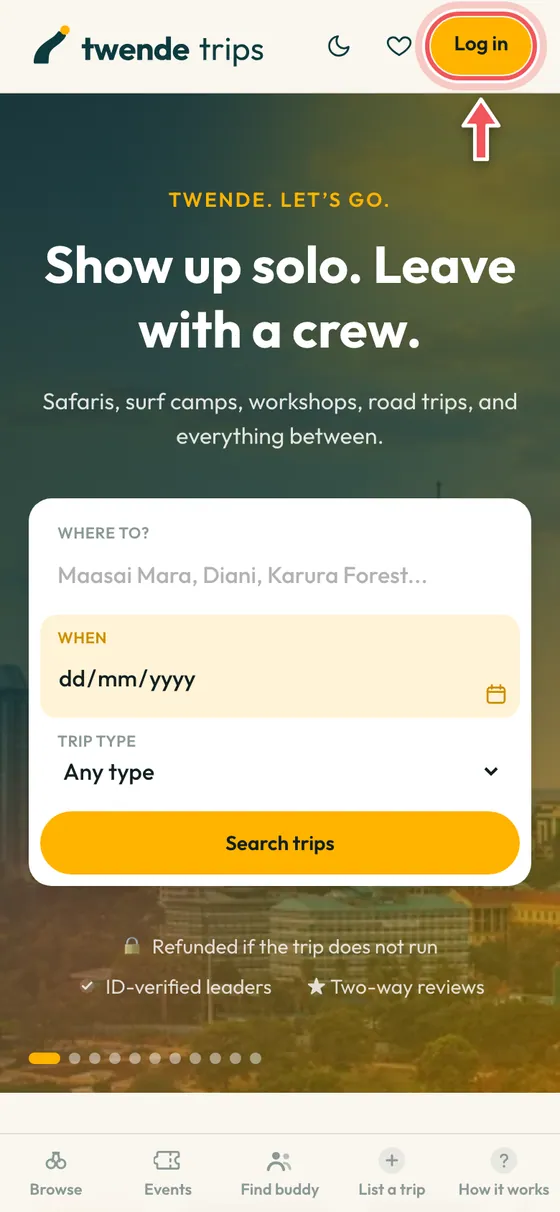
Tap Log in
It is at the top right of every page. New here? Tap it, then choose Sign up on the next screen.
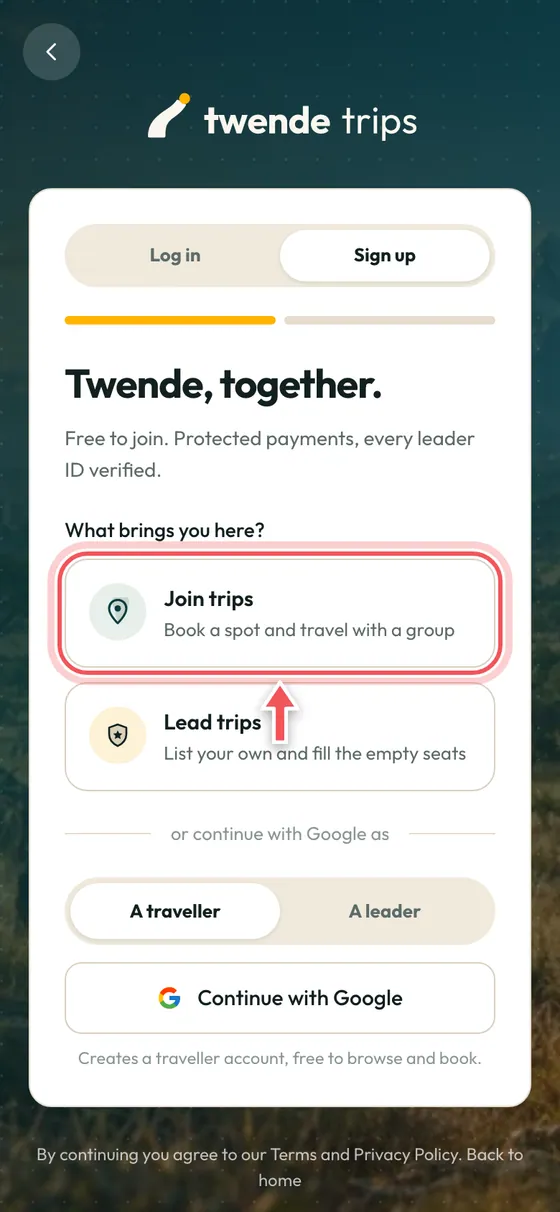
Choose Join trips
Pick Join trips to book spots and travel with a group. If you want to run trips yourself, choose Lead trips and see the leader guide further down.
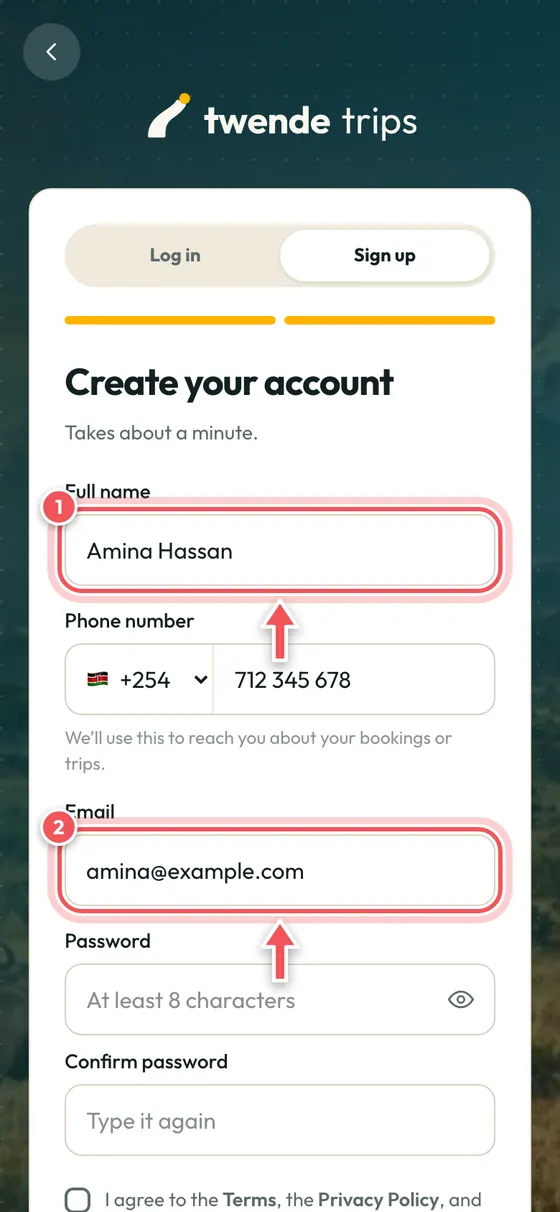
Add your details
Your name as it appears on your ID, a phone number, your email and a password. Your leader can use your phone number to reach you about your booking.
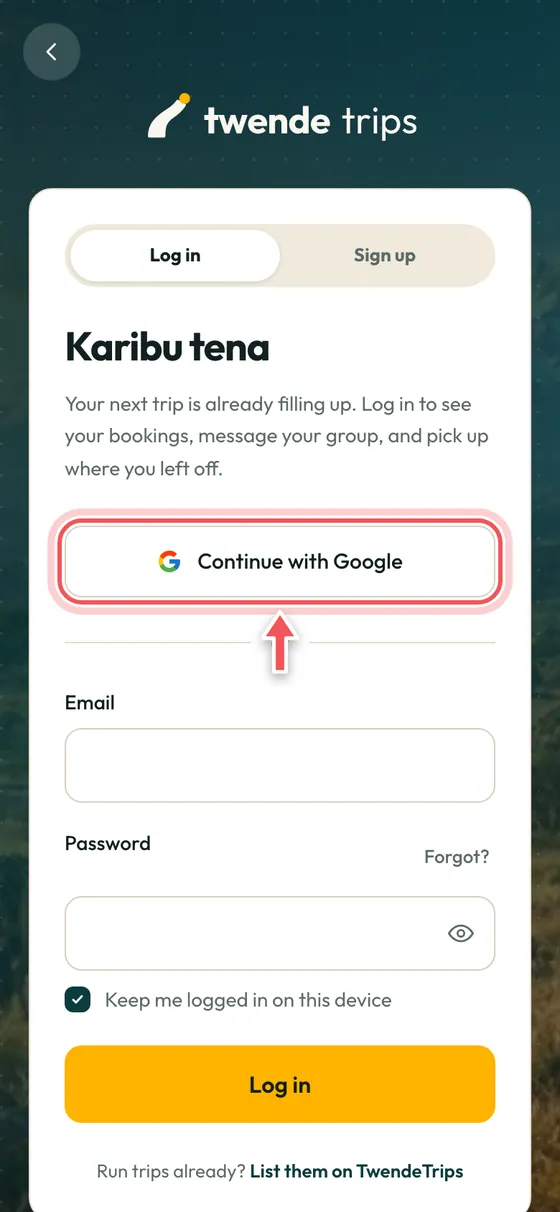
Or continue with Google
Already use Google? One tap signs you up or logs you in, with no password to remember.
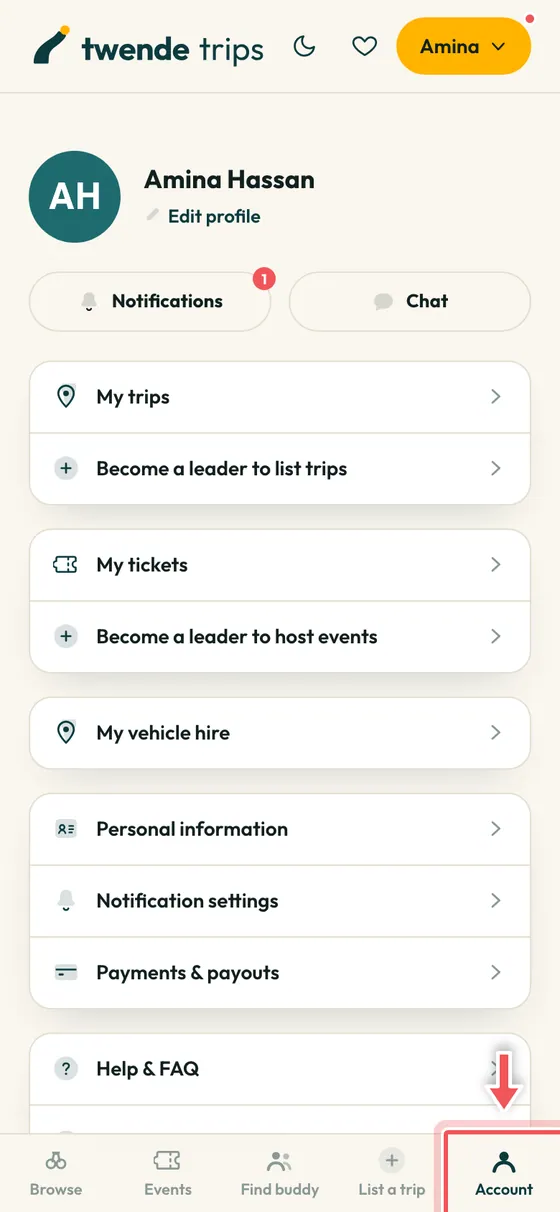
Find everything under Account
Once you are signed in, the last tab on your phone is Account. Your trips, tickets, chat, payments and help are all in there.
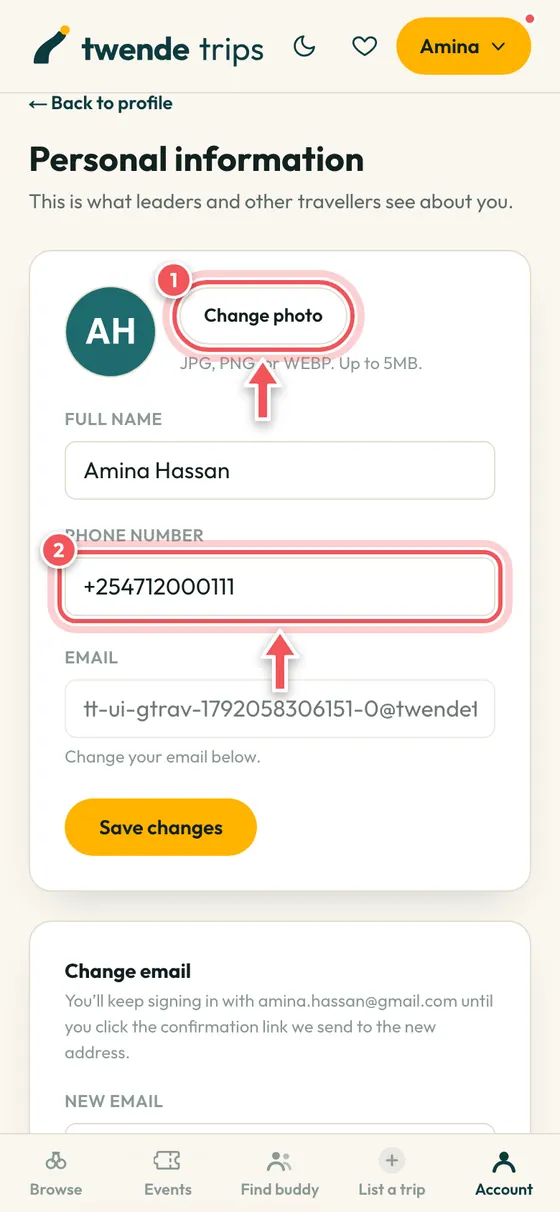
Add a photo and your phone number
Leaders see your name and photo on their guest list. Add them under Personal information.
Find a trip
Search, filter and compare. Every price already includes our booking fee, so the number you see is what you pay.
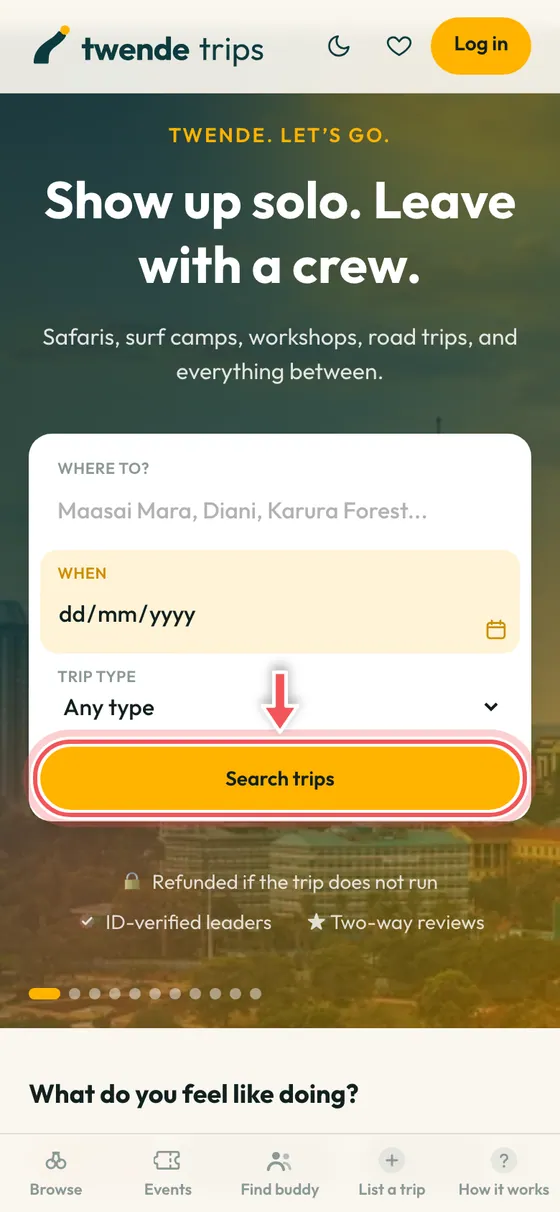
Search from the home page
Type where you want to go, pick a date or a type of trip, then tap Search trips.
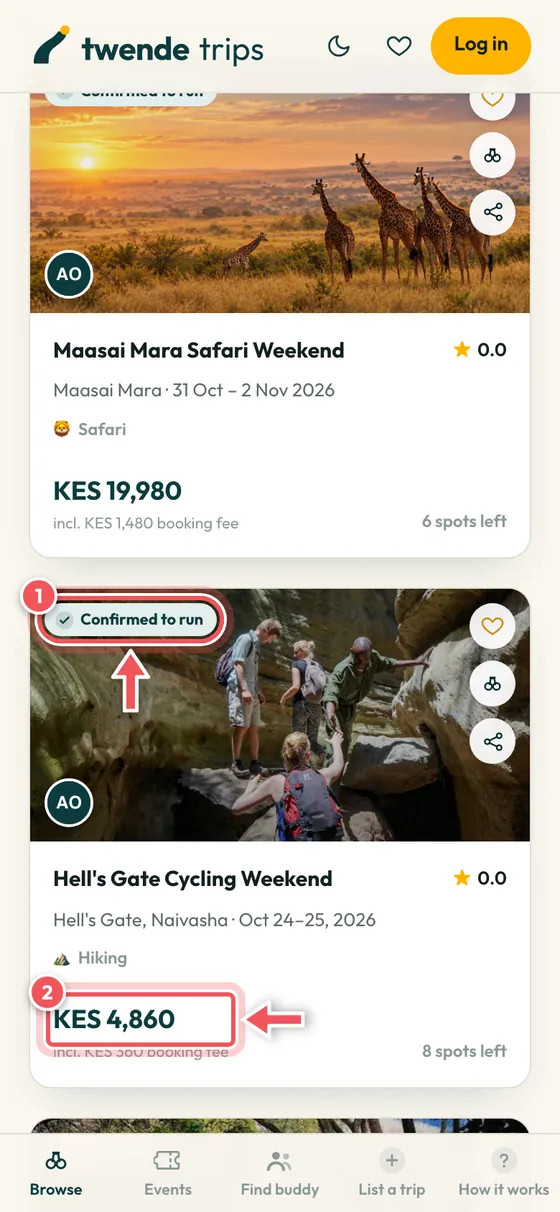
Read the trip cards
Each card shows the date, the price and how many spots are left. Confirmed to run means enough people have booked, so the trip is going ahead.
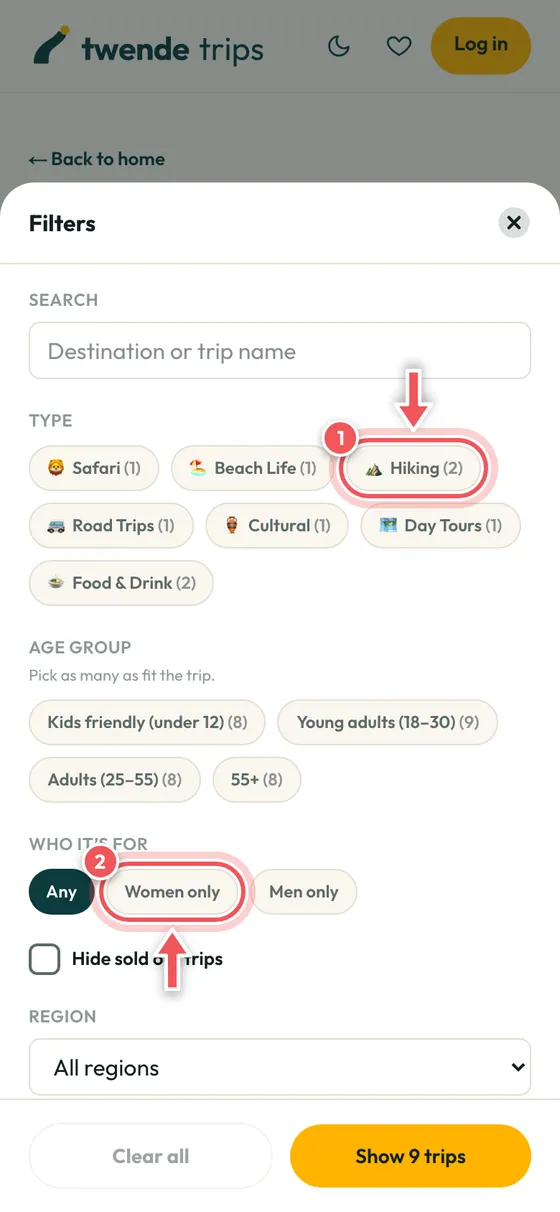
Narrow it down with Filters
Tap Filters, then pick a type of trip such as hiking or safari, and who it is for, such as women only.
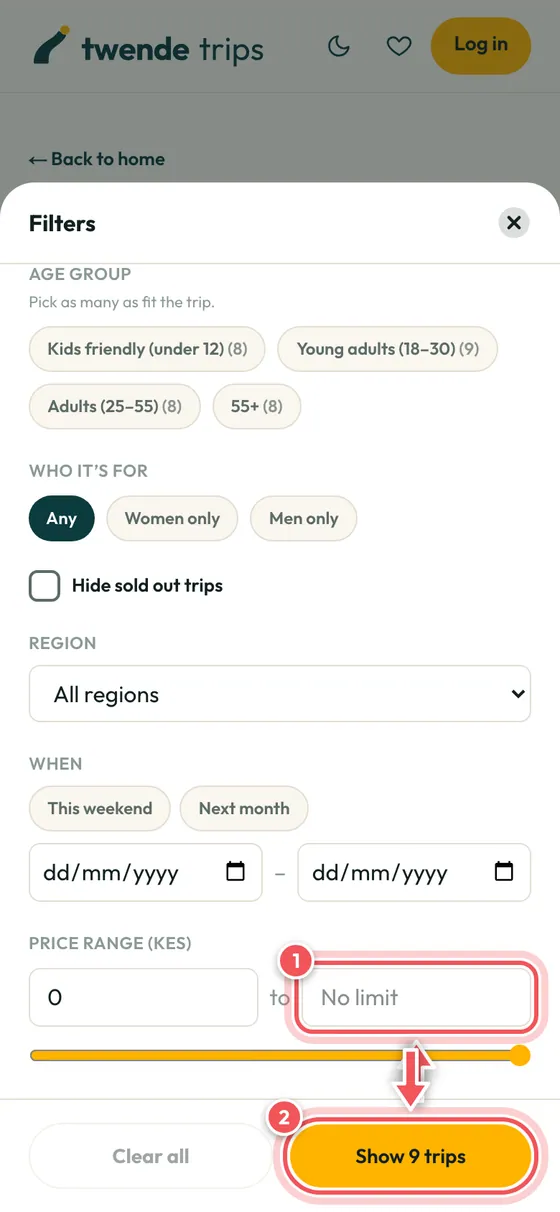
Set your budget and dates
Choose a price range and dates, then tap Show trips. Clear all puts everything back.
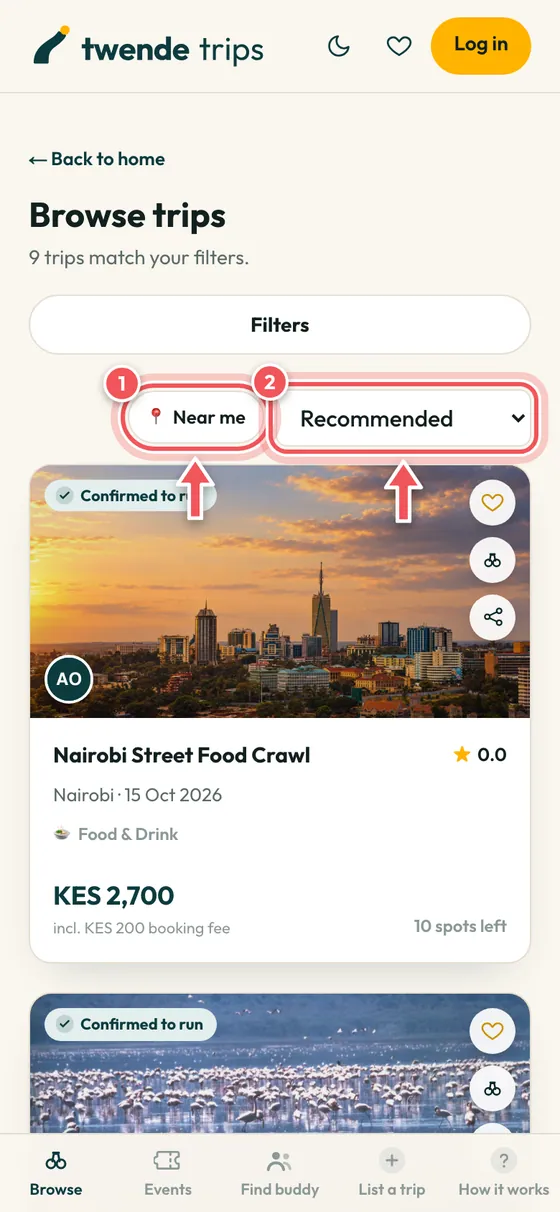
Sort, or find trips near you
Sort by price, or tap Near me to see trips that start close to where you are.
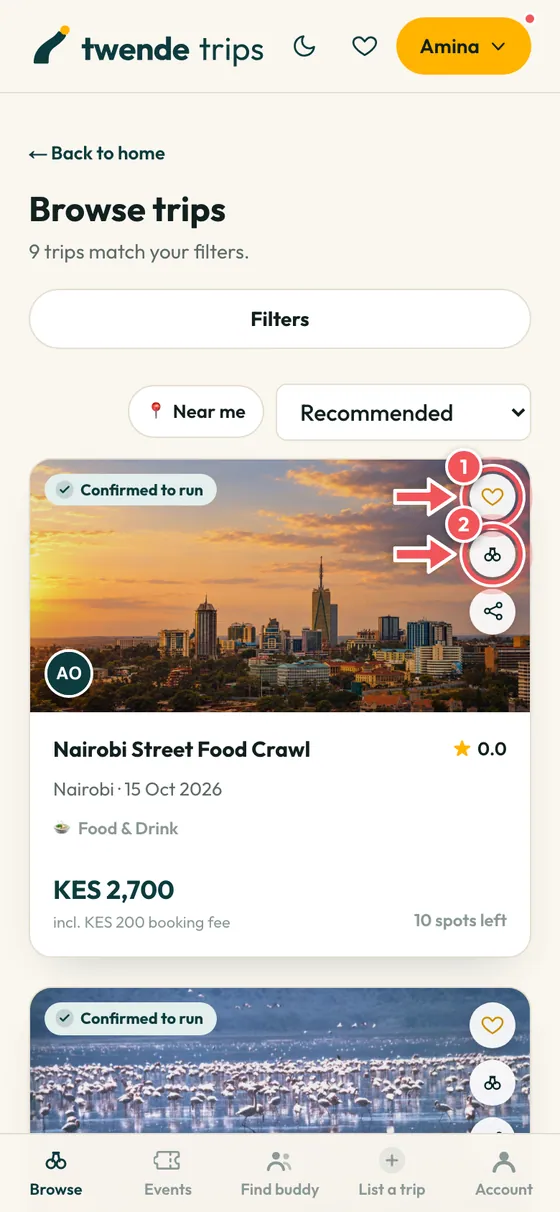
Save trips for later
Tap the heart to save a trip. Tap the binoculars to watch it, and we tell you if a spot opens on a trip that is full.
Read a trip page
Everything you need before you pay is on one page. Take a minute to read it.
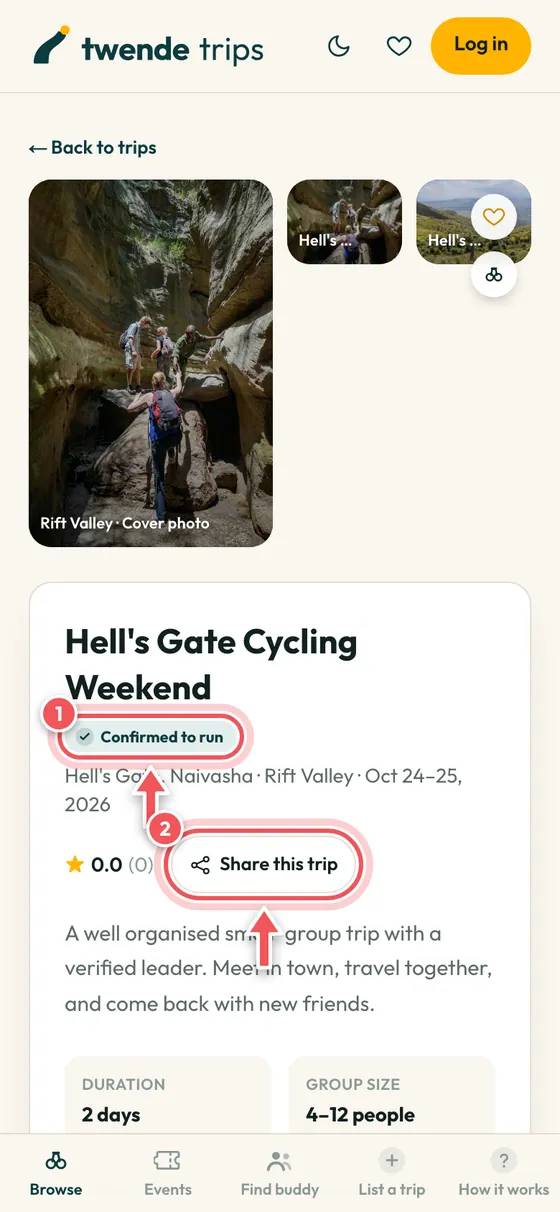
The top of the page
Photos, the dates and the leader. Tap Share this trip to send it to friends.
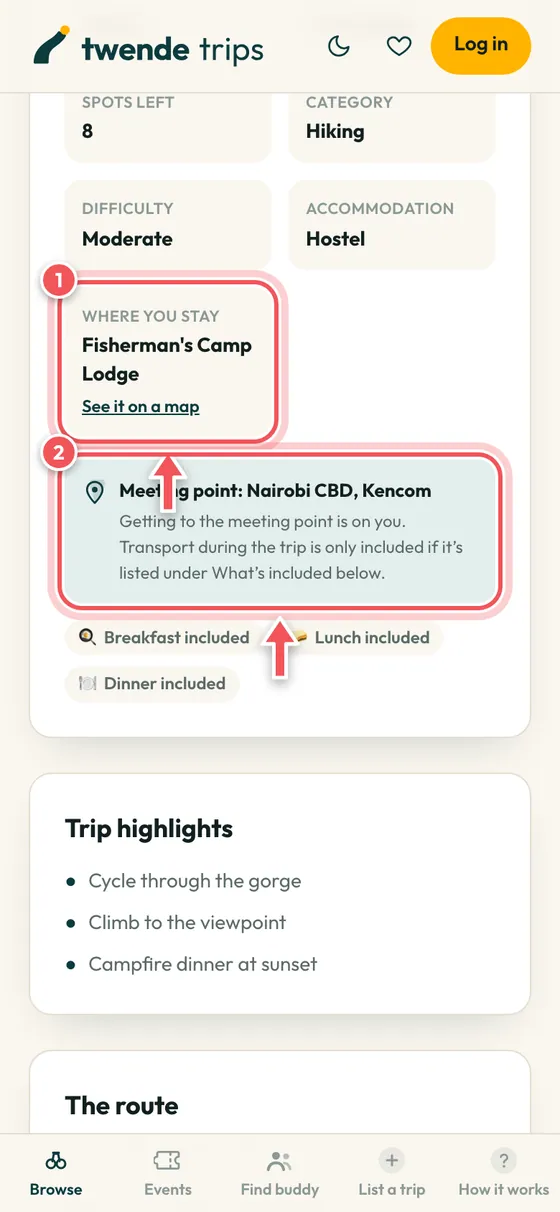
Where you stay and where you meet
If the trip includes a hotel, hostel or lodge, its name is here with a link to the map. The meeting point and the meals included are shown too.
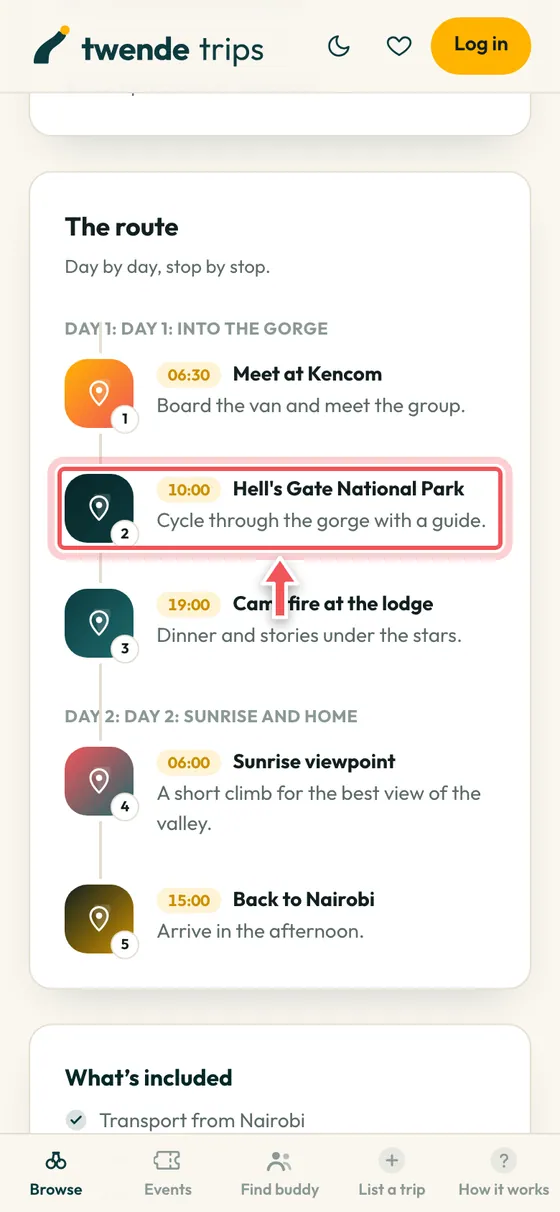
The route, stop by stop
See each day and each stop with times, so you know what to expect.
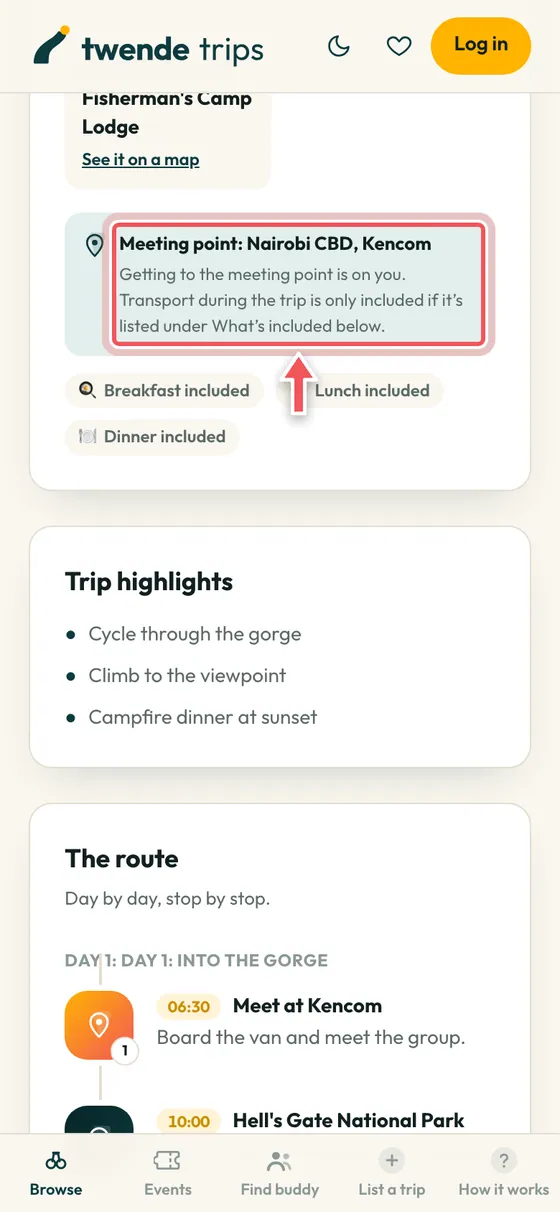
What is included, and what is not
Check this before you book: transport, park fees, meals, and what you still need to bring or pay for yourself.
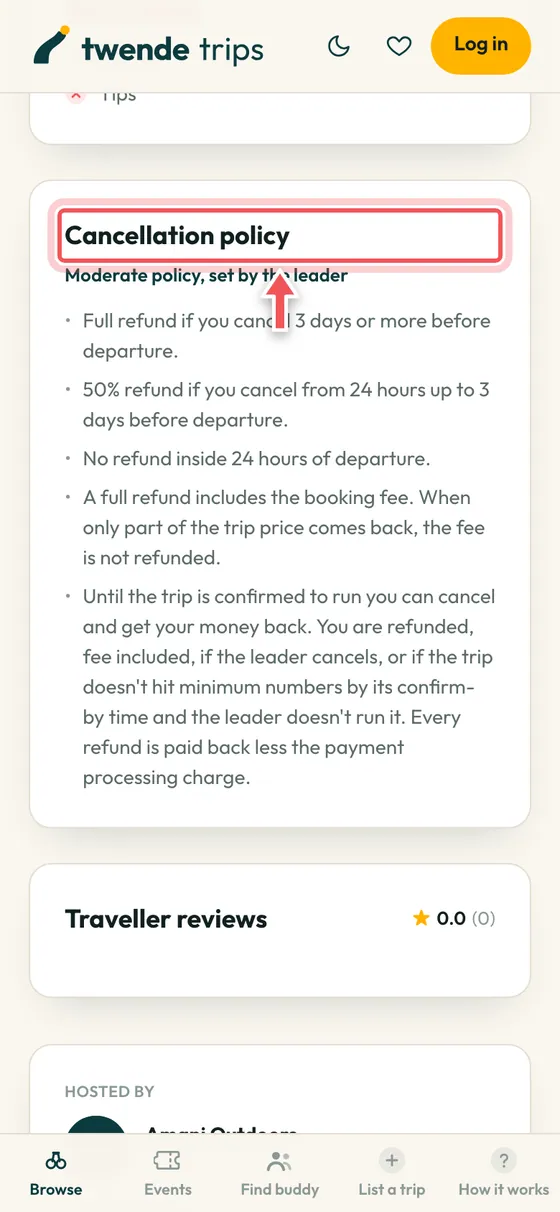
The cancellation policy
Each leader picks one of five published policies, and you see it before you pay. The one you booked under is the one that applies to you.
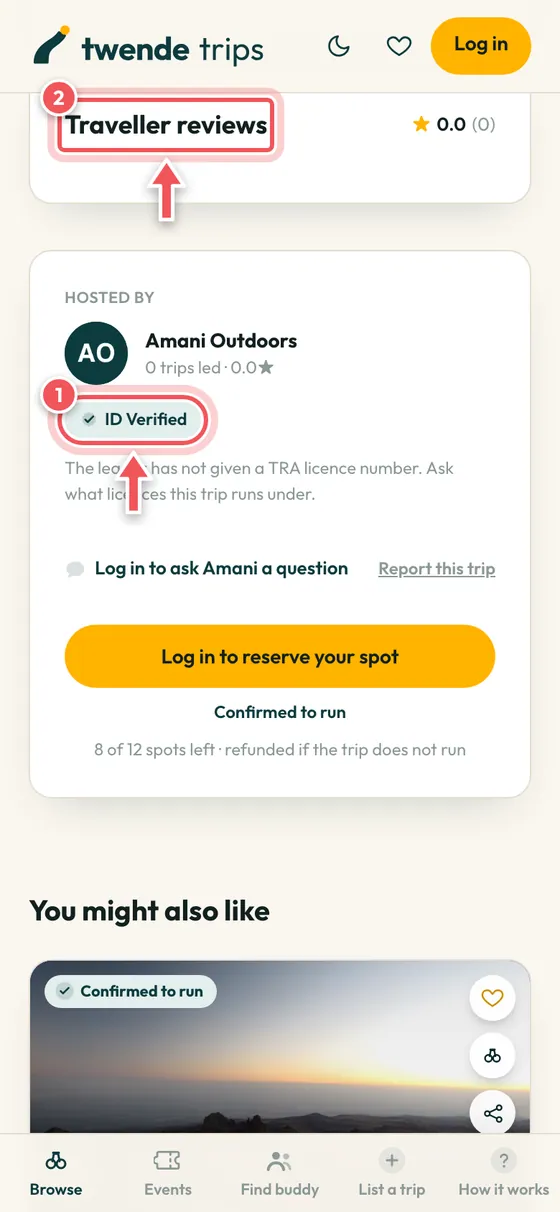
The leader and the reviews
Every leader has passed an ID check, shown by the ID Verified badge. Read what past travellers said under Traveller reviews.
Book and pay
Pay with an M-PESA request on your phone, or by card or bank. Your payment goes to TwendeTrips, not straight to the leader, and you are refunded if the trip does not run.
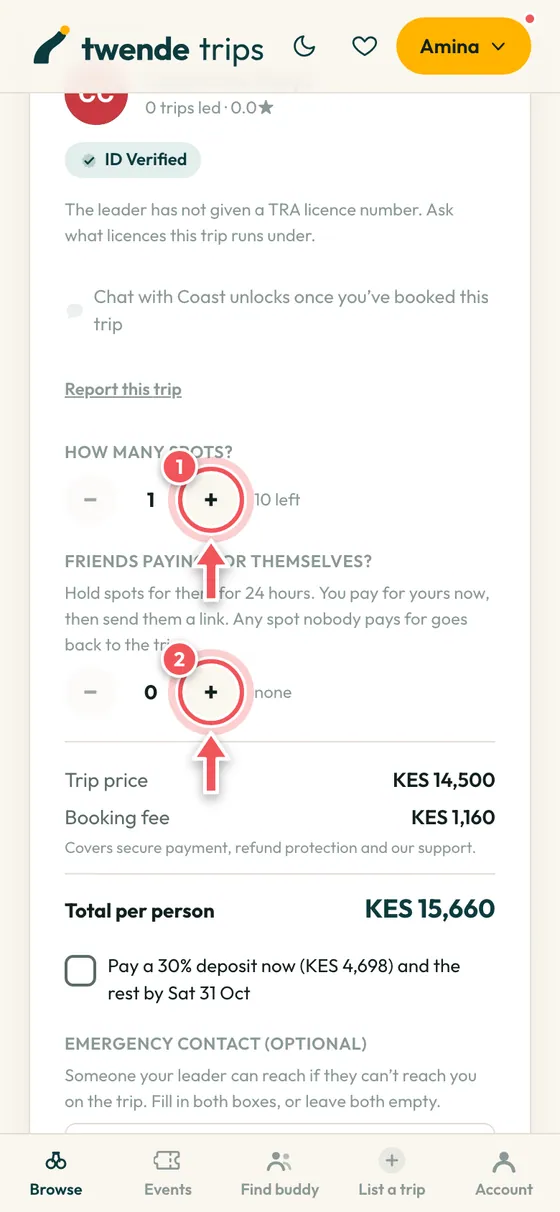
Choose your spots
Use the plus and minus buttons to pick how many spots you need. You can also hold spots for friends for 24 hours and send them a link to pay for their own.
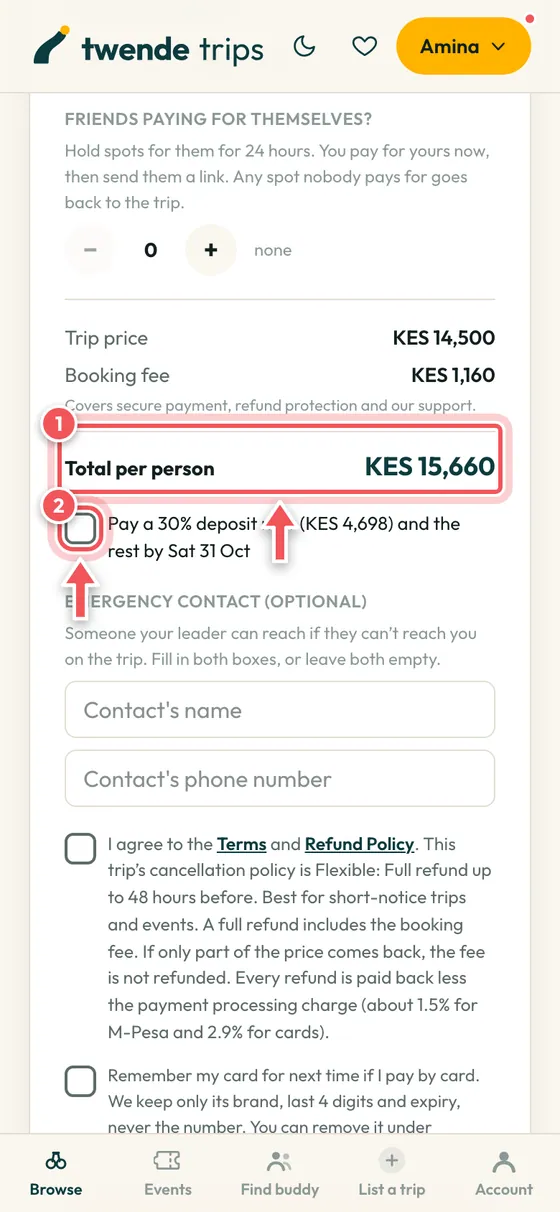
Check the total
You see the trip price, the booking fee and the total per person before you pay. If the leader allows it, tick the deposit box to pay part now and the rest later, in parts of at least KES 1,000.
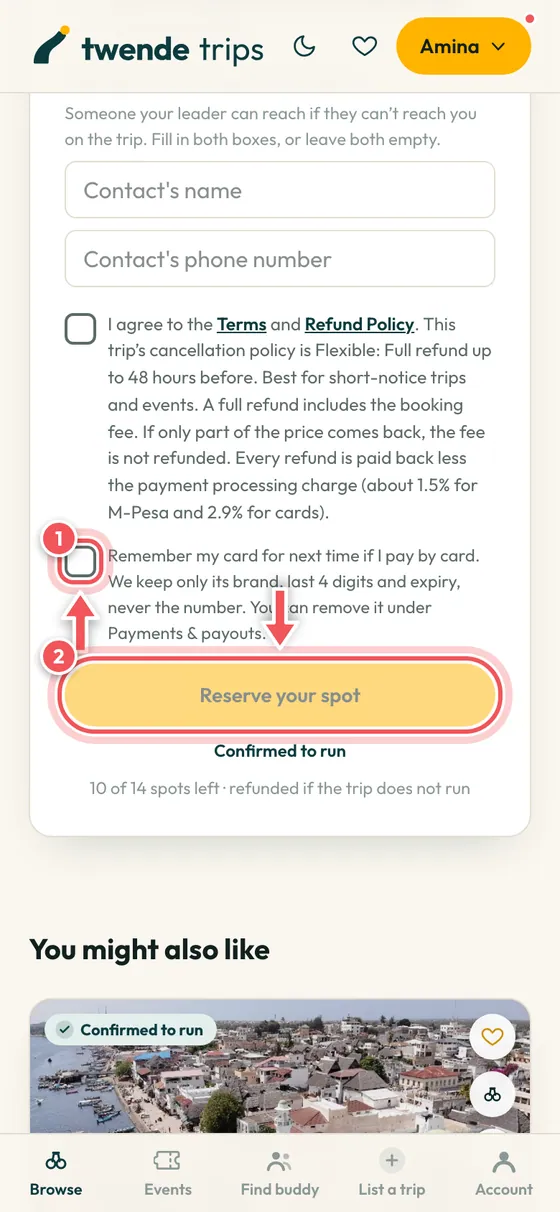
Agree, then reserve
Agree to the terms and tap Reserve your spot. Tick Remember my card if you want your card kept for next time. Only its brand, last 4 digits and expiry are kept.
Secure payment
KES 4,860
Hell’s Gate Cycling Weekend
Choose how to pay
This page belongs to our payment partner. We never see your card number.
Choose M-PESA or card
After you press Reserve, choose M-PESA to get a payment request on your phone and enter your PIN, or choose Card to go to our secure payment page (Paystack), where you can also pay by M-Pesa or bank. Some trips, from companies paid directly, go straight to the payment page. We never see your card number or PIN.
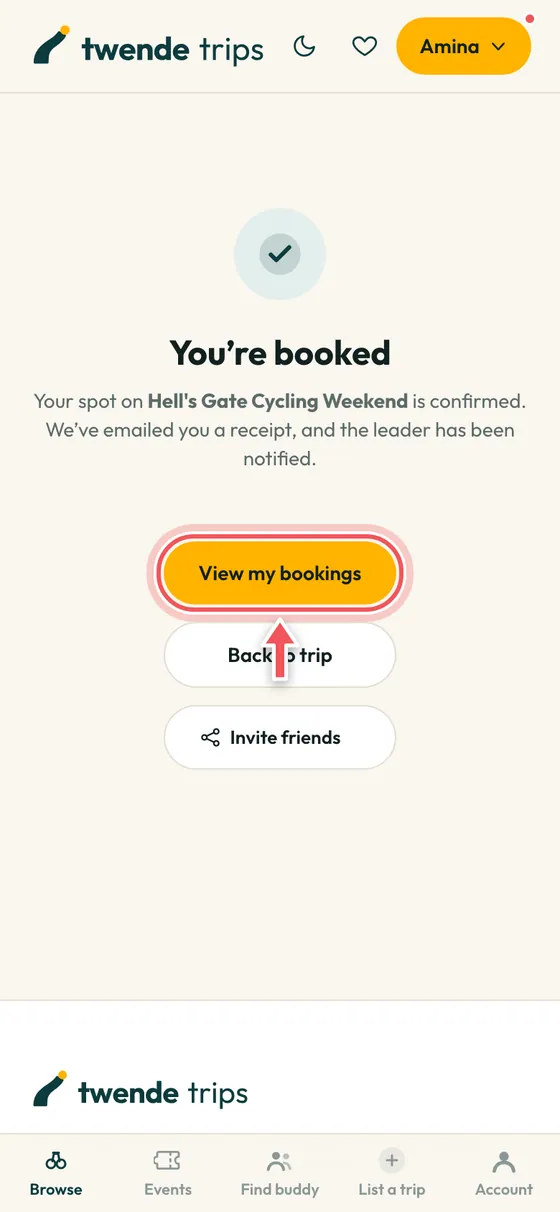
You are booked
Your spot is confirmed straight away and your leader is told. You get a receipt by email, and your booking shows under Account.
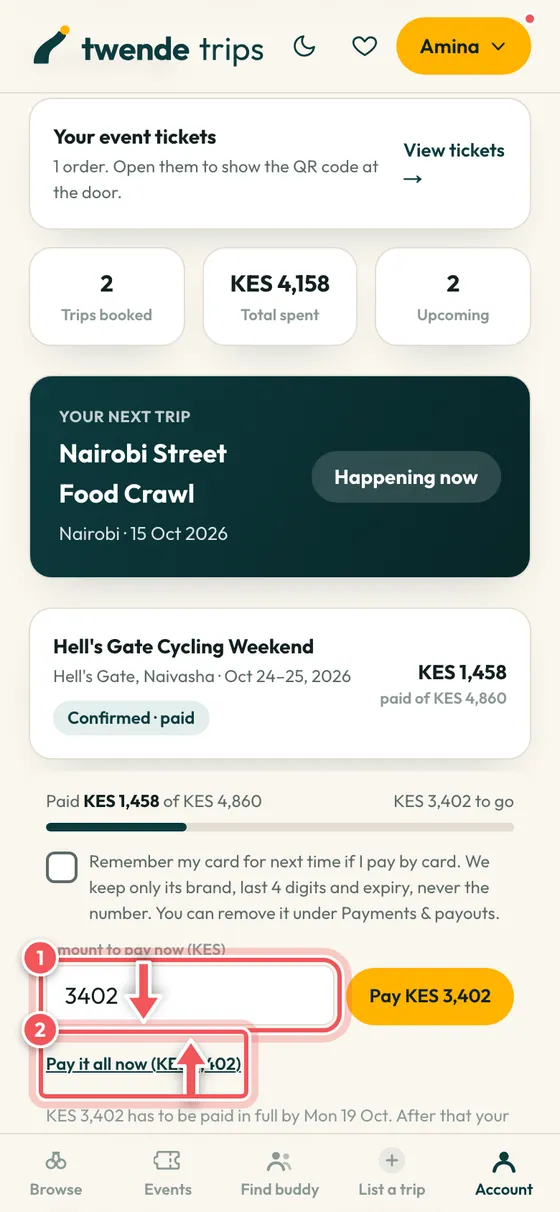
Pay the rest in parts
If you paid a deposit, your booking shows what is left and when it is due. Pay it all at once, or in parts that suit you, before the deadline.
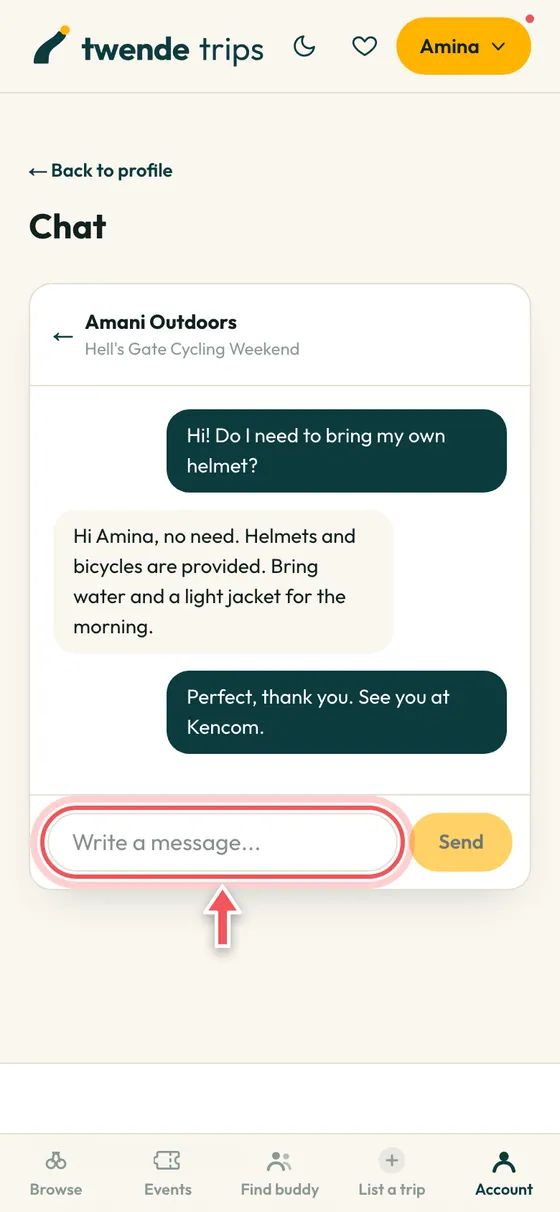
Chat with your leader
After you book, a chat opens with your leader. Ask what to bring or where to meet. Phone numbers are never shown publicly.
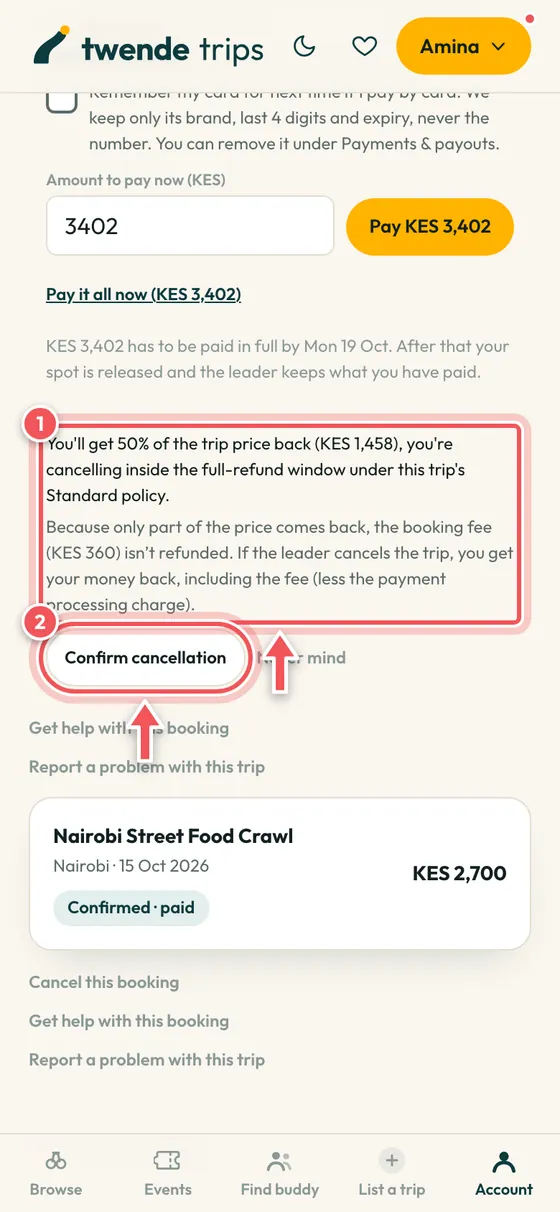
Need to cancel?
Tap Cancel this booking. You see exactly how much you get back before you confirm, based on the policy you booked under. Refunds are paid back less the small payment processing charge.
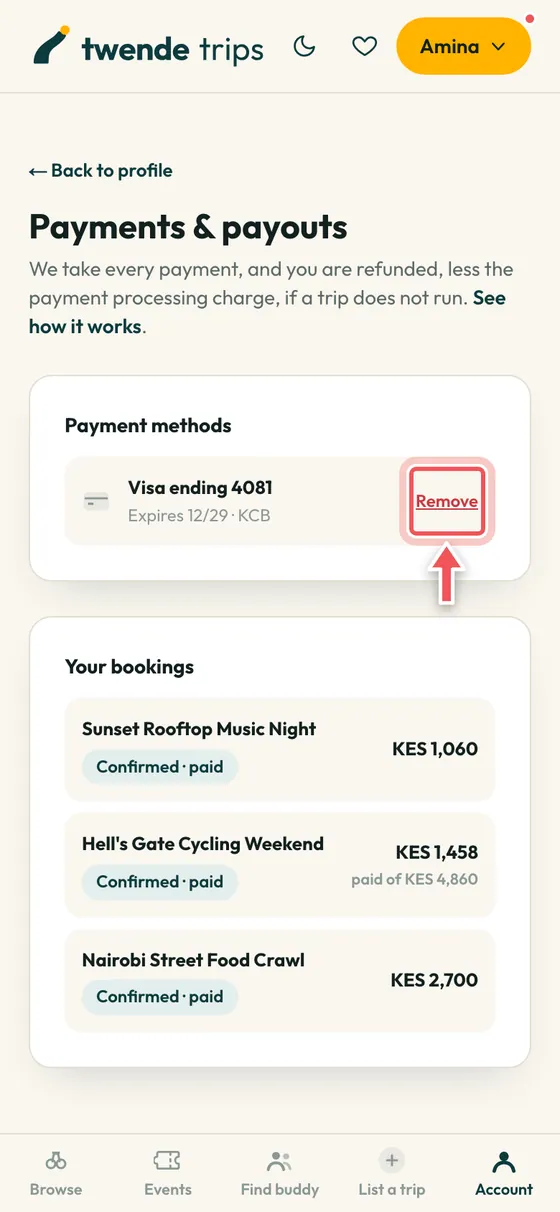
Your saved cards
Under Payments and payouts you can see the cards you chose to remember, with brand, last 4 digits and expiry. Remove any of them whenever you like.
Events and tickets
Concerts, parties, workshops and more, with a QR ticket on your phone.
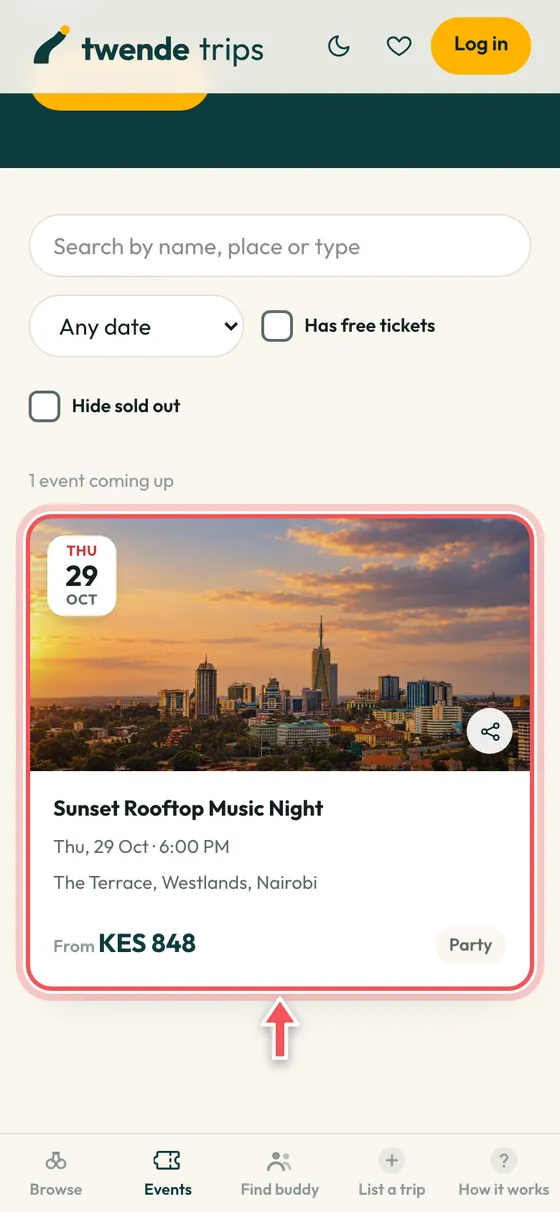
Find an event
Open the Events tab. Each card shows the date, the venue and the cheapest ticket.
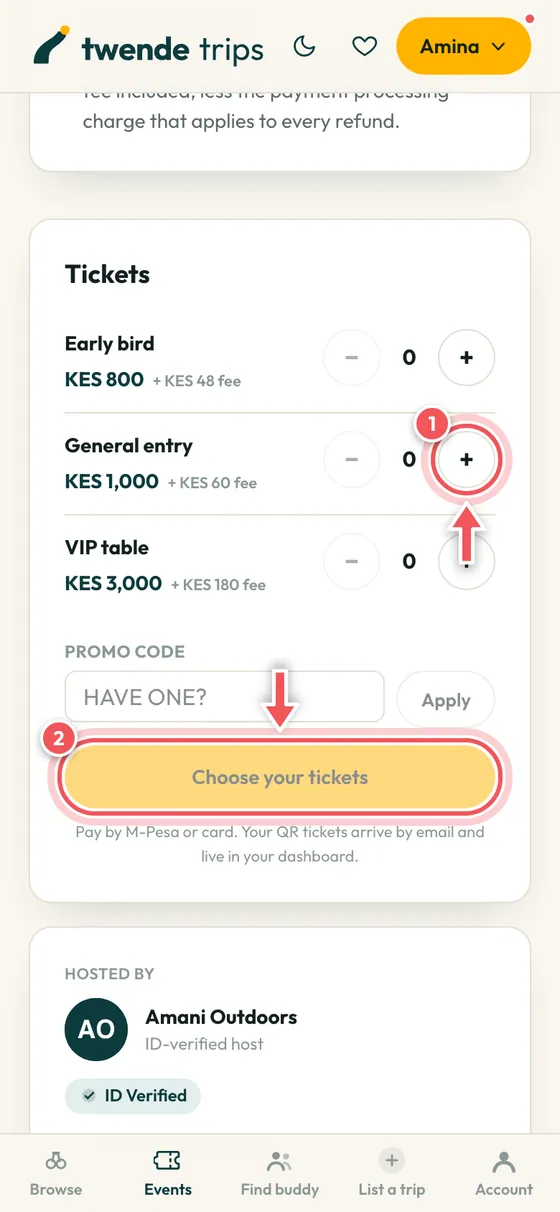
Choose your tickets
Pick how many of each ticket type, add a promo code if you have one, then tap Choose your tickets to pay.
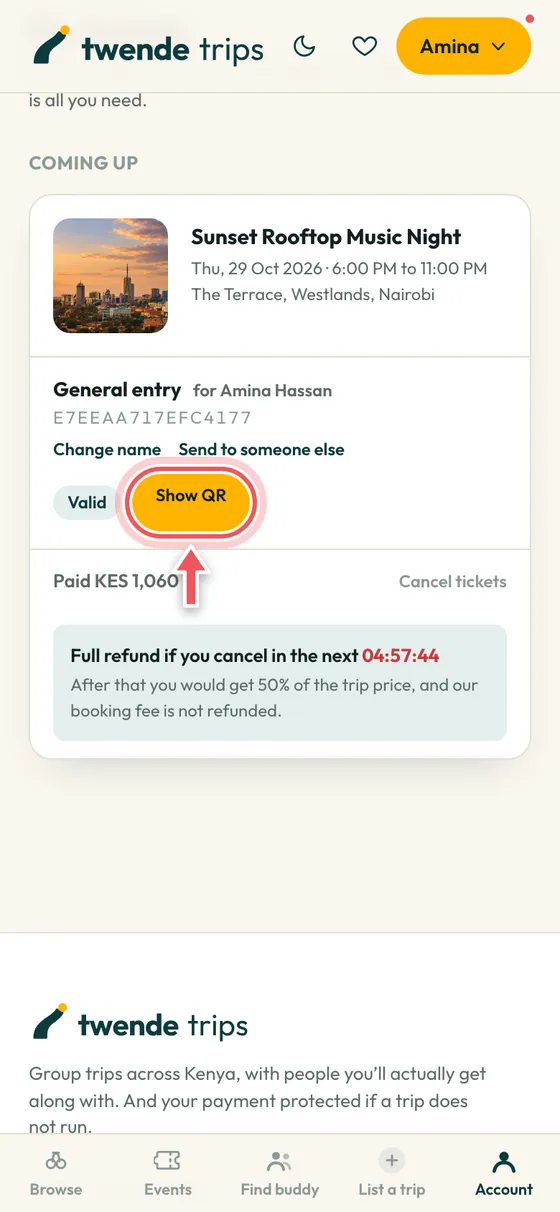
Show your QR ticket
After paying, your tickets are under My tickets. Tap Show QR at the door and the host scans it. You can also change the name on a ticket or send it to a friend.
Vehicle hire
Need a van or a bus for your group? Ask the owners for a quote. It is free to ask.
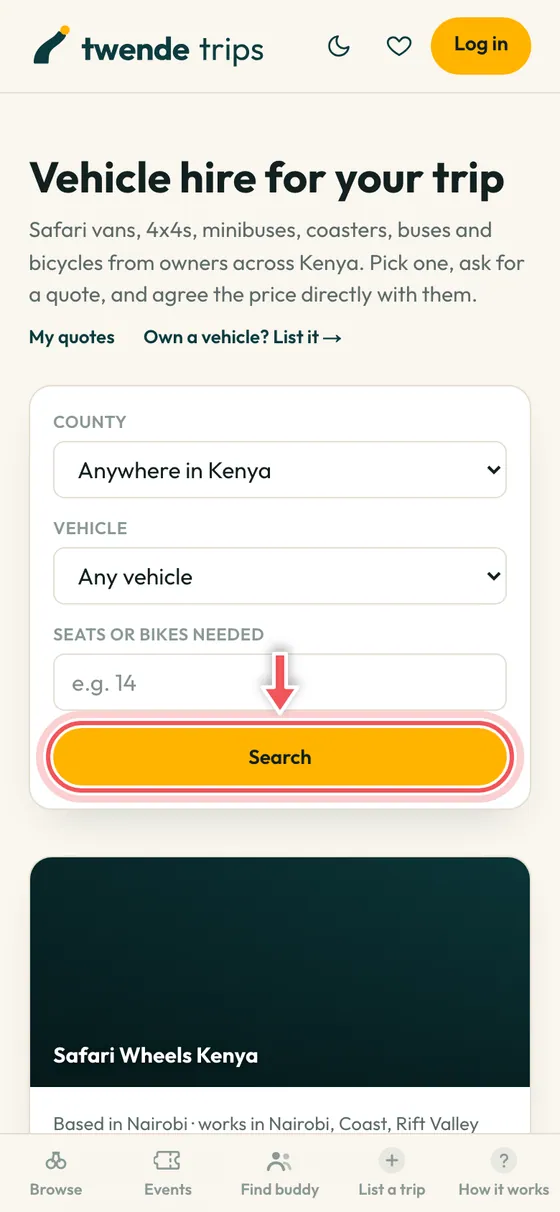
Find a vehicle
Choose a county, the type of vehicle and how many seats you need, then tap Search.
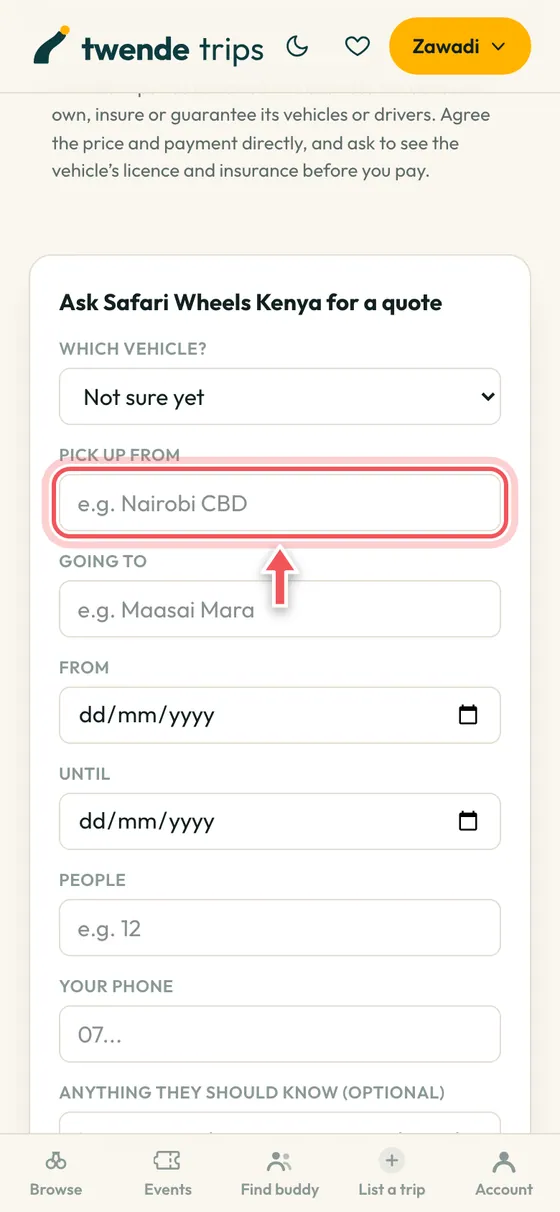
Ask for a quote
Fill in your pick-up place, your destination, the dates and how many people. The owner replies to you directly. The price and the payment are agreed between you and the owner, outside TwendeTrips.
Find a travel buddy
Going alone? Find someone with a similar plan, or ask a leader to build the trip you want.
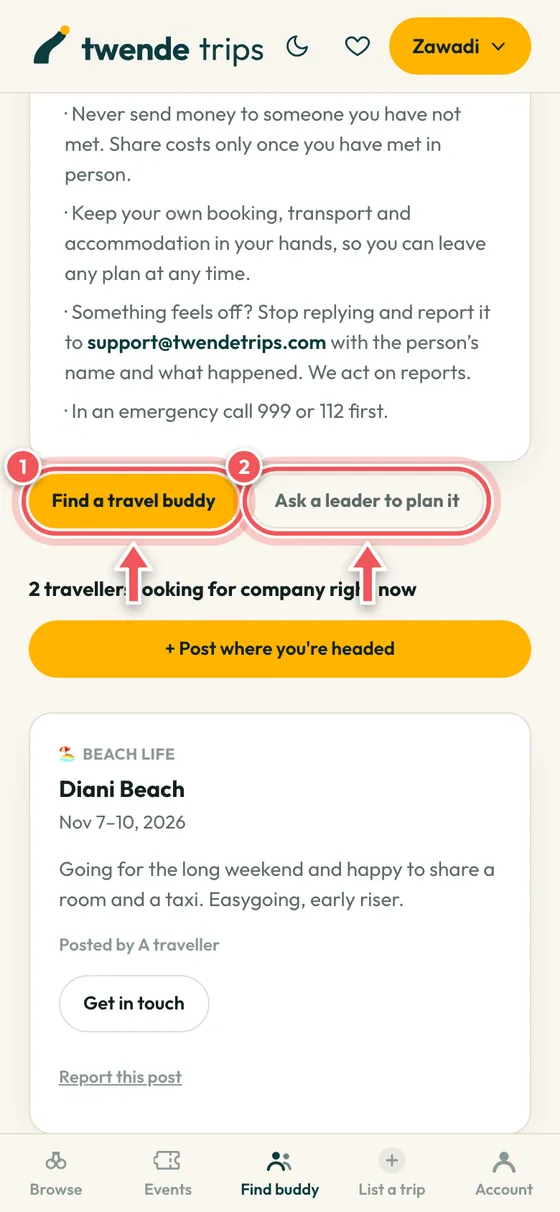
See who is going where
Browse people planning a trip you would like to join, or tap Ask a leader to plan it if you want a trip that does not exist yet.
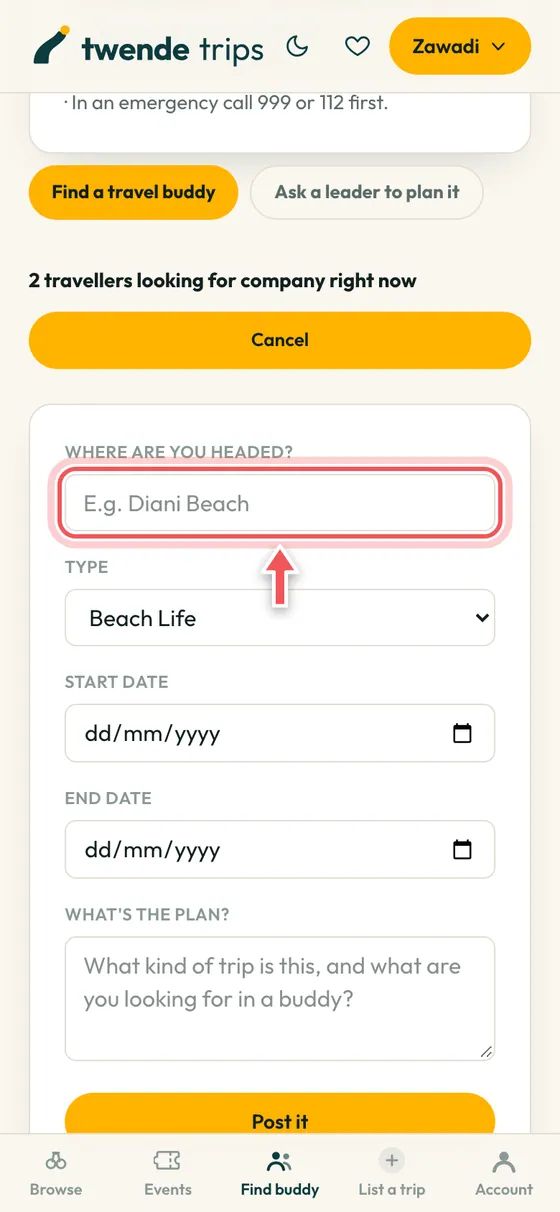
Post where you are headed
Tell people where and when you are going. Posting is free.
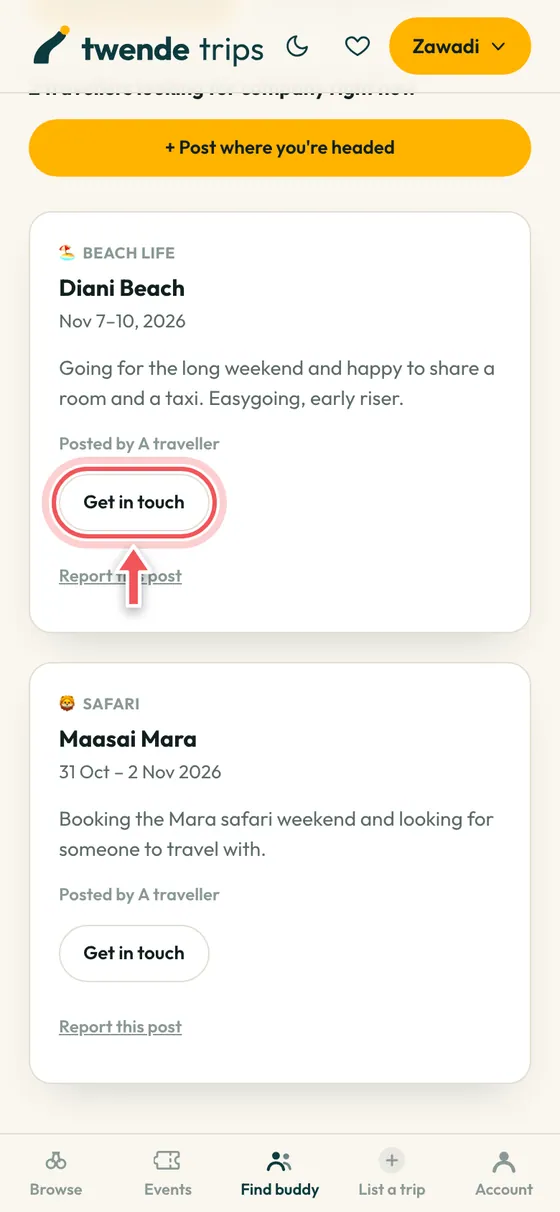
Get in touch
Tap Get in touch on a post and write a short message. Each person pays KES 249 to connect, and emails are only shared once you both agree. If they say no or do not answer, you are refunded.
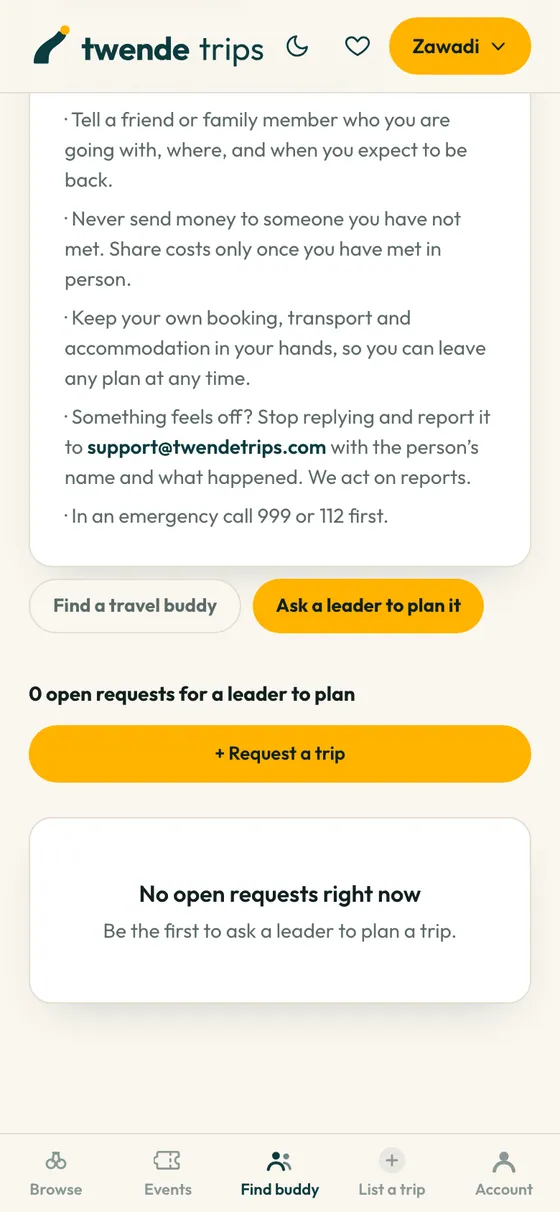
Ask a leader to plan it
Describe the trip you want: the group, the budget, the dates and where you would stay. Trip leaders see it and can build it for you.
For leaders, step by step
From your first sign up to getting paid. Plan on about twenty minutes to get your first trip live. New to leading? The free Leader Workbook helps you price, plan and write a listing that sells.
Become a leader
Anyone with a plan can lead a trip. You need a free account, a quick identity check and somewhere to send your money.
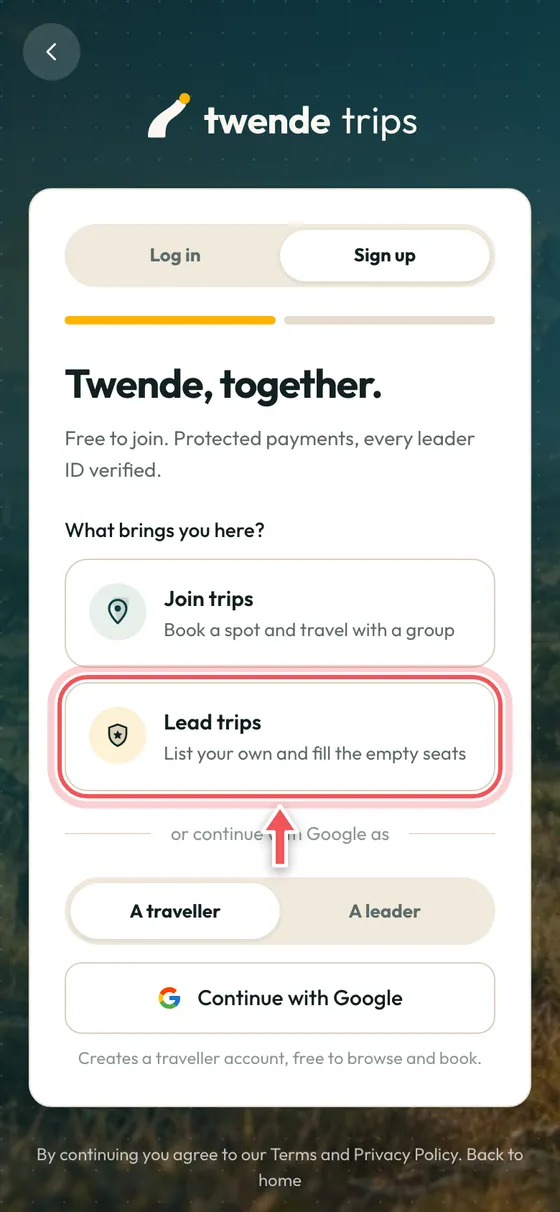
Sign up as a leader
On the sign up screen choose Lead trips. If you already have a traveller account, you can turn it into a leader account from the Account page.
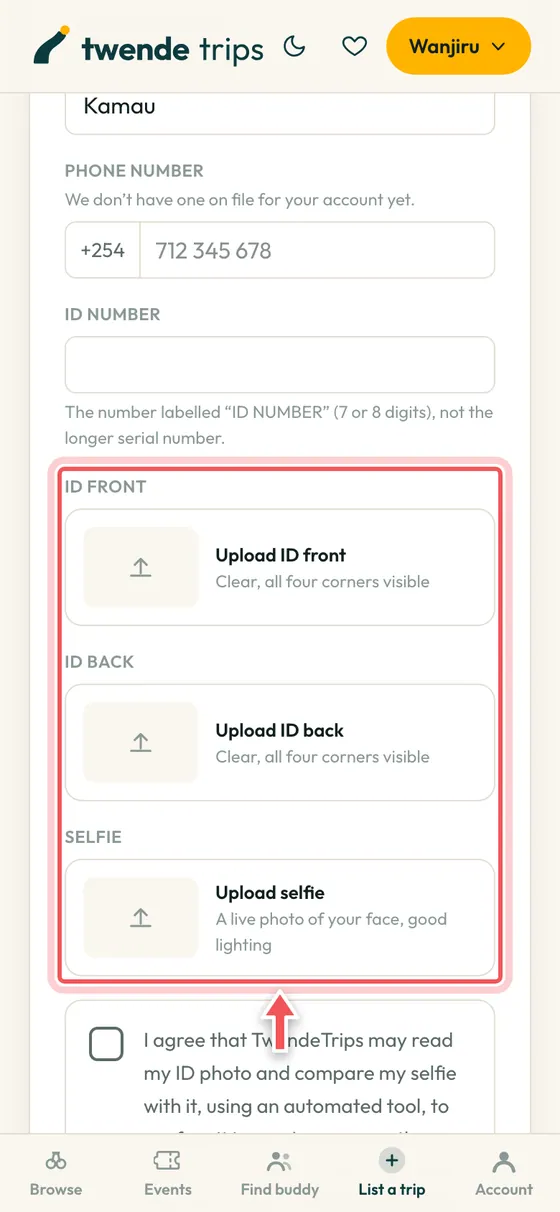
Verify your identity
Upload the front and back of your ID and a selfie. Our team checks them, normally within a day. Travellers see the ID Verified badge on your trips, and your documents are never shown publicly.
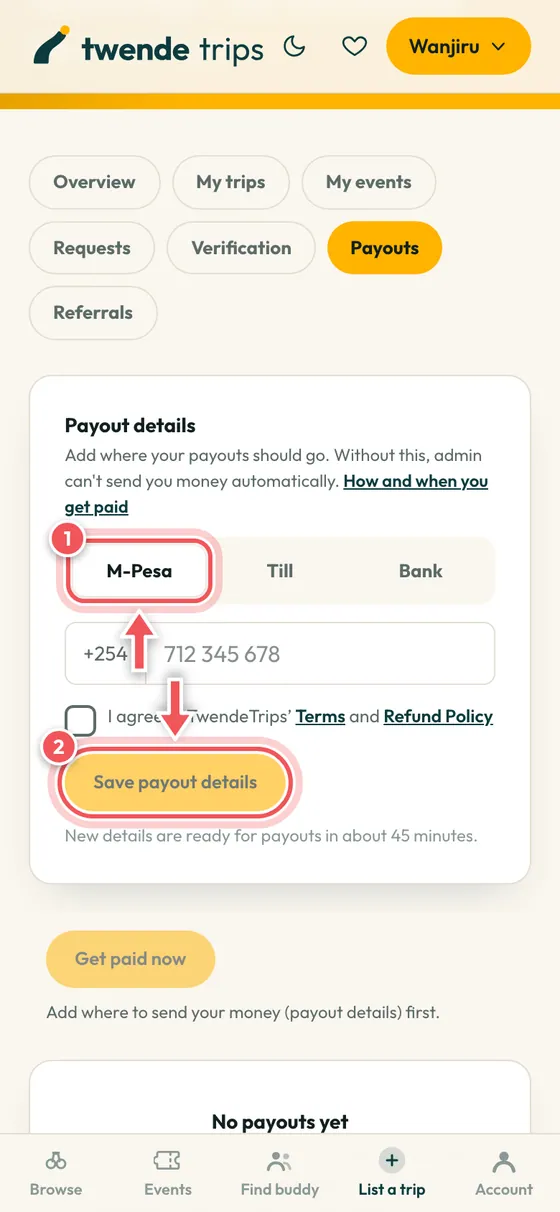
Add your payout details
Under Payouts choose M-Pesa, Till, Paybill or Bank and add your number. Check it twice: a payout sent to a wrong number cannot be recovered. New details wait a short while before payouts start, as a safety check.
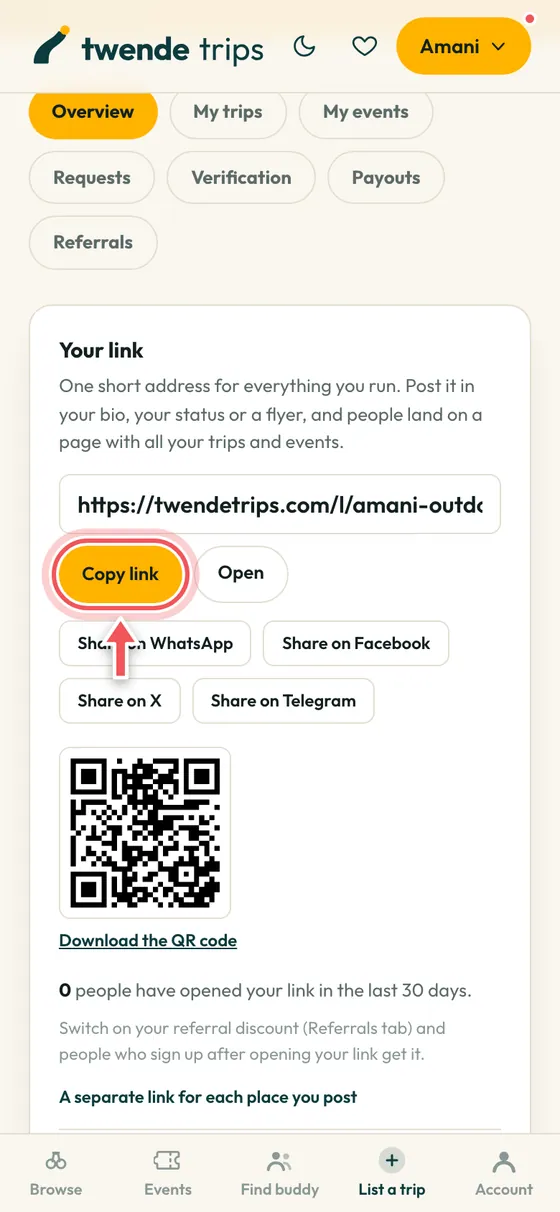
Your own link
Every leader gets a short link that shows all your trips and events. Copy it and post it in your bio, your status or on a flyer.
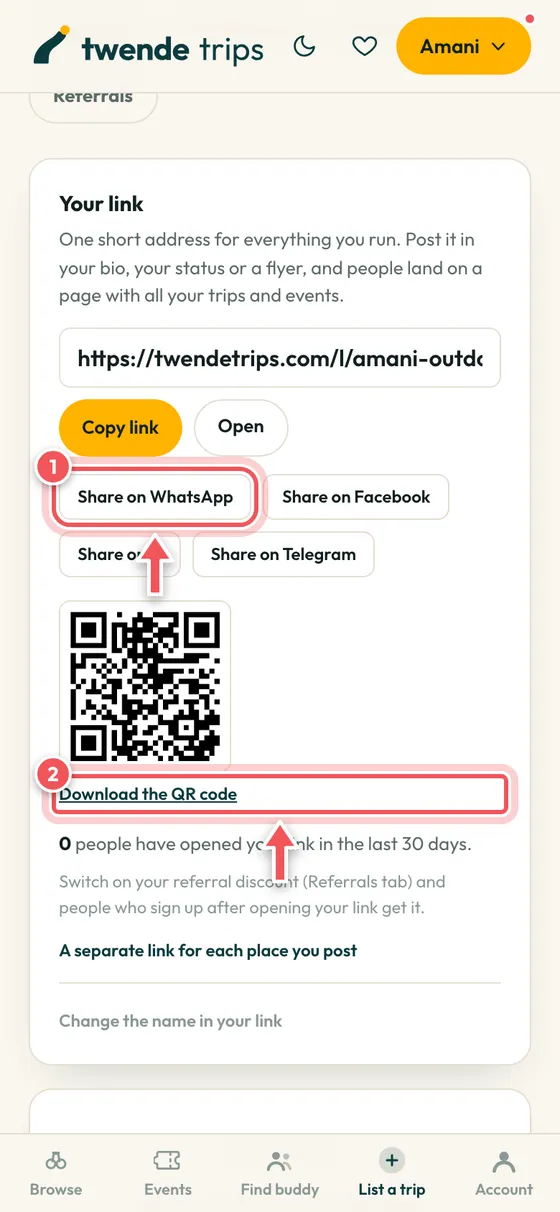
Share it everywhere
Share on WhatsApp, Facebook, X or Telegram in one tap, or download the QR code for a poster. You can see how many people opened your link.
Create a trip
Listing a priced trip is free. Plan on about twenty minutes for your first one.
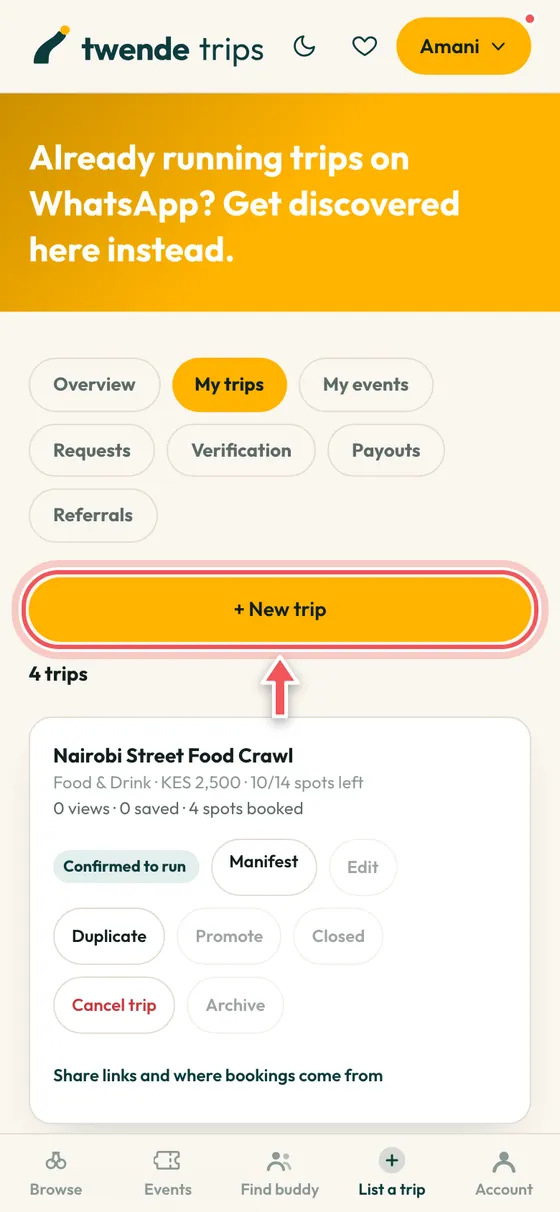
Start a new trip
Open your dashboard, choose My trips and tap + New trip.
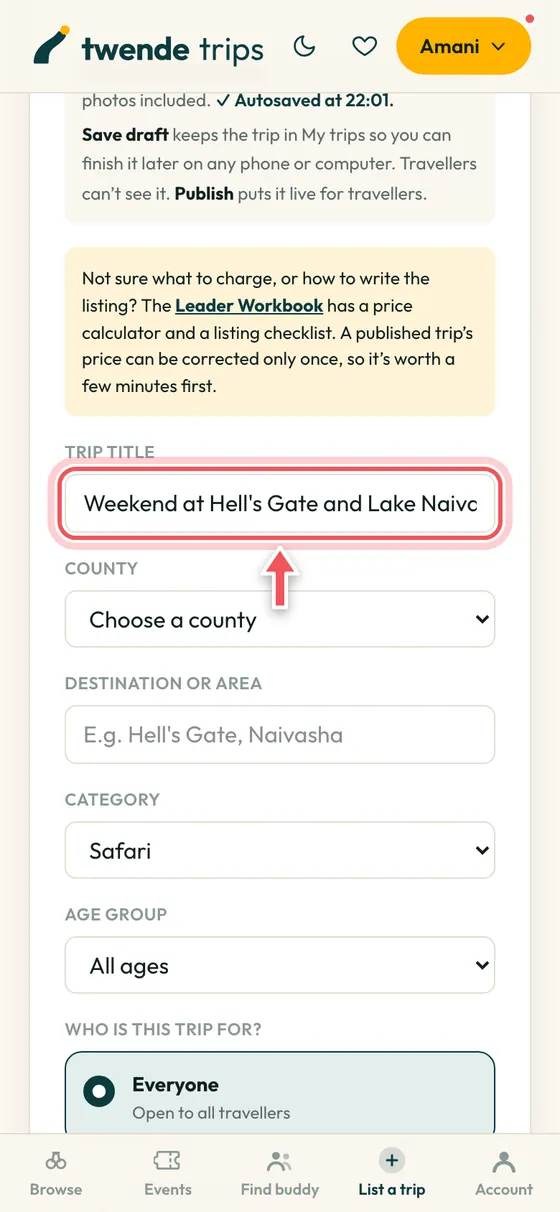
Start from an example
Not sure how to write a listing? Start from an example trip to see how a good one reads, then change it. The boxes show what to write until you start typing, and your work saves itself as you type. The search and sharing text is made for you.
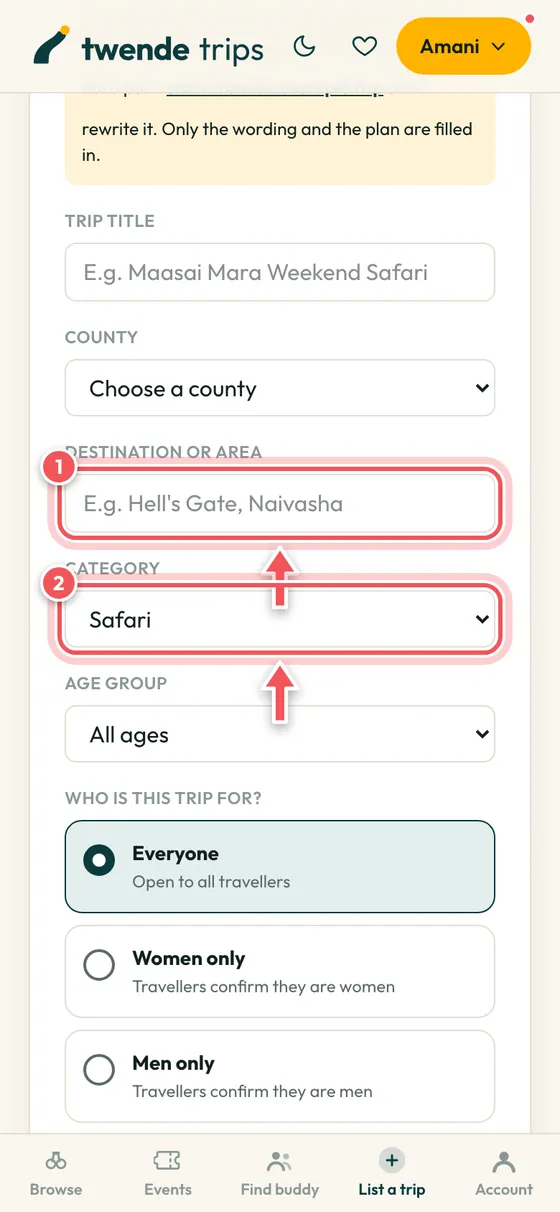
Where, and what kind of trip
Say where it goes and what type of trip it is. Hotels, hostels and lodges need to be named so travellers can look them up.
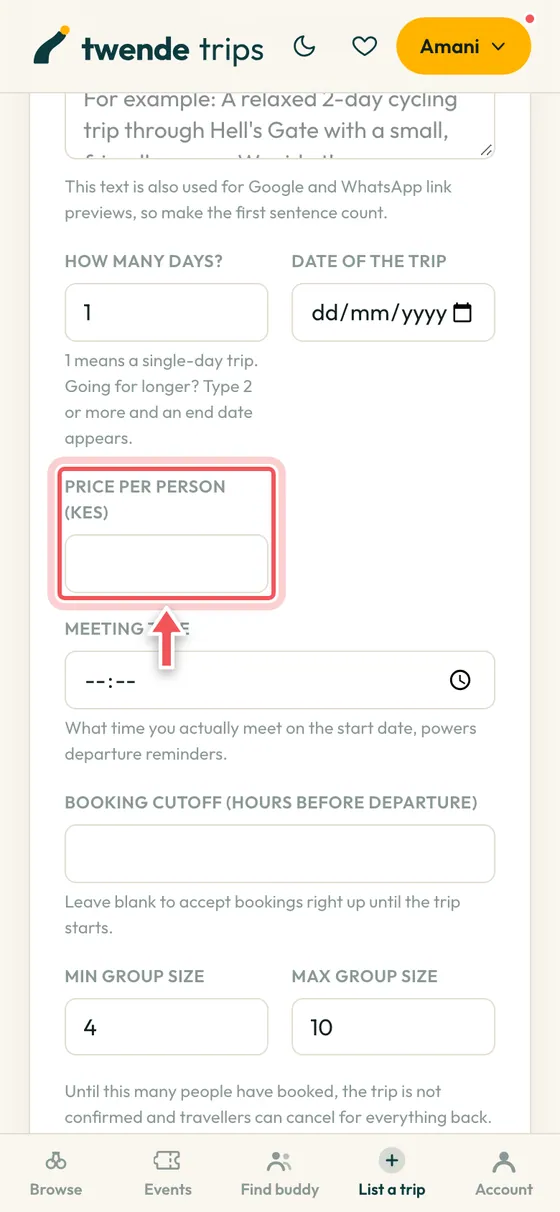
Price, spots and dates
Set the price per person, the number of spots, the dates, and the meeting point and time. The price locks once you publish, with one correction allowed while nobody has booked. Travellers pay our booking fee on top, so you receive the price you set.
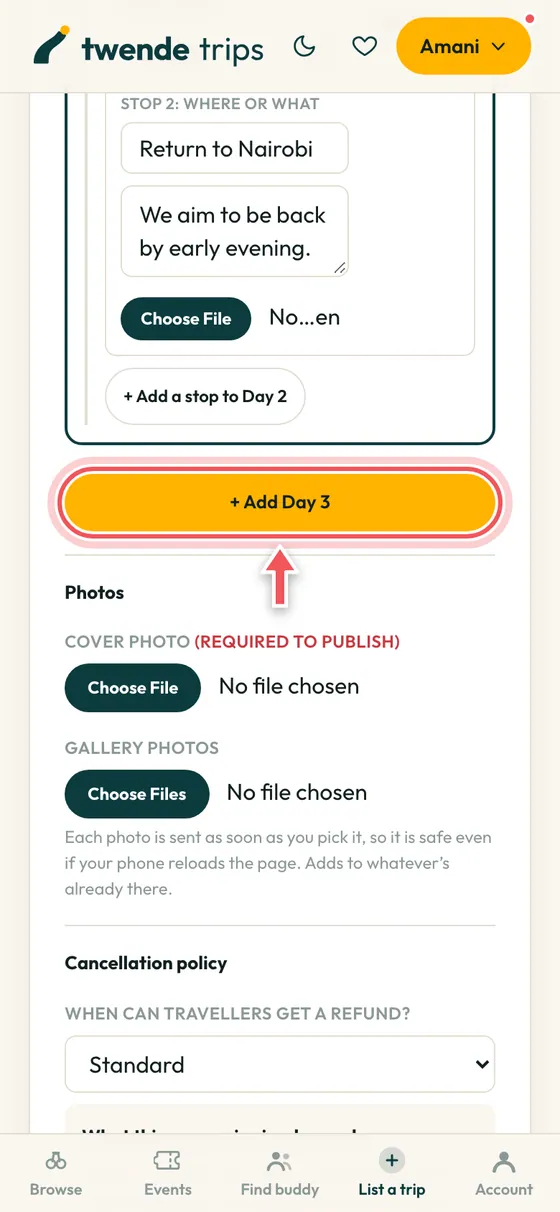
Plan the days
Add each day and each stop with a time. Travellers read this to decide, and it is what they follow on the day.
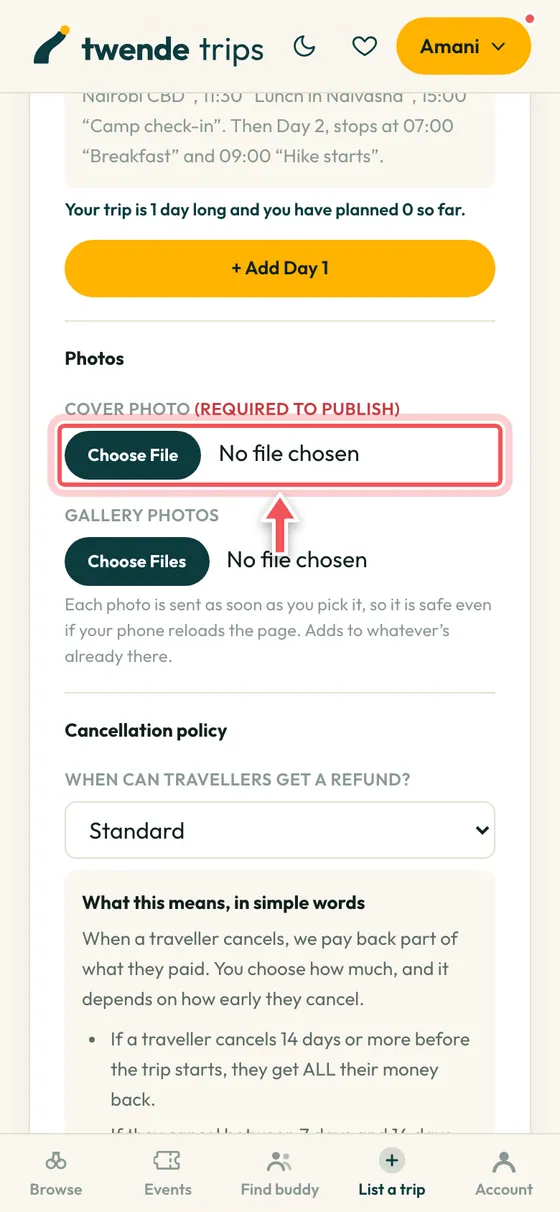
Add photos
A cover photo is required to publish. Add gallery photos too: trips with good photos fill faster.
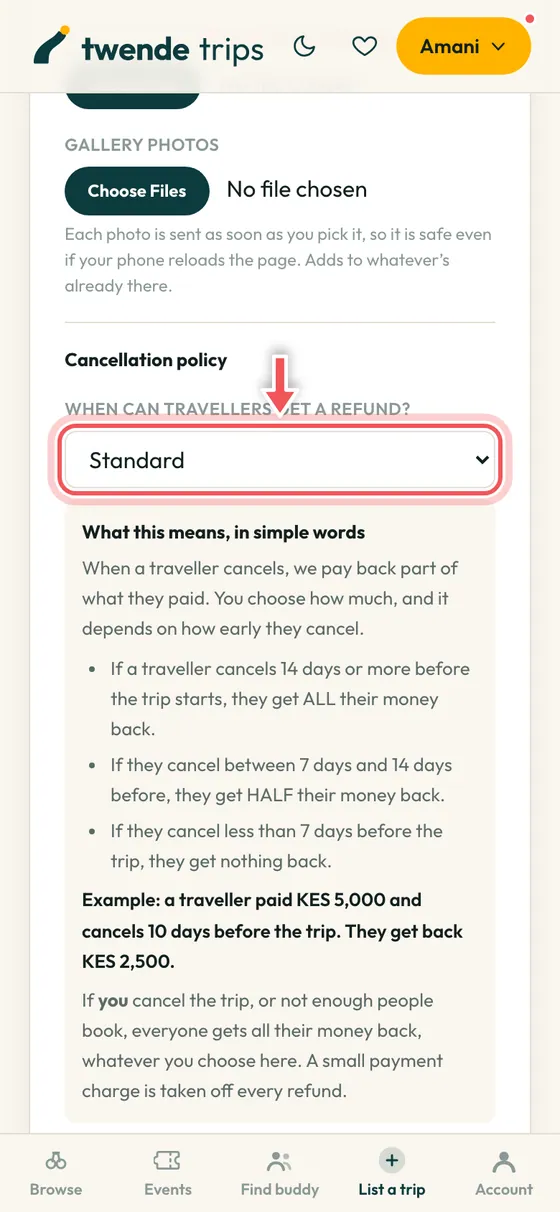
Pick a cancellation policy
Choose how much travellers get back if they cancel. A box under the choice explains it in simple words, with an example. It is shown before they pay and locked into each booking.
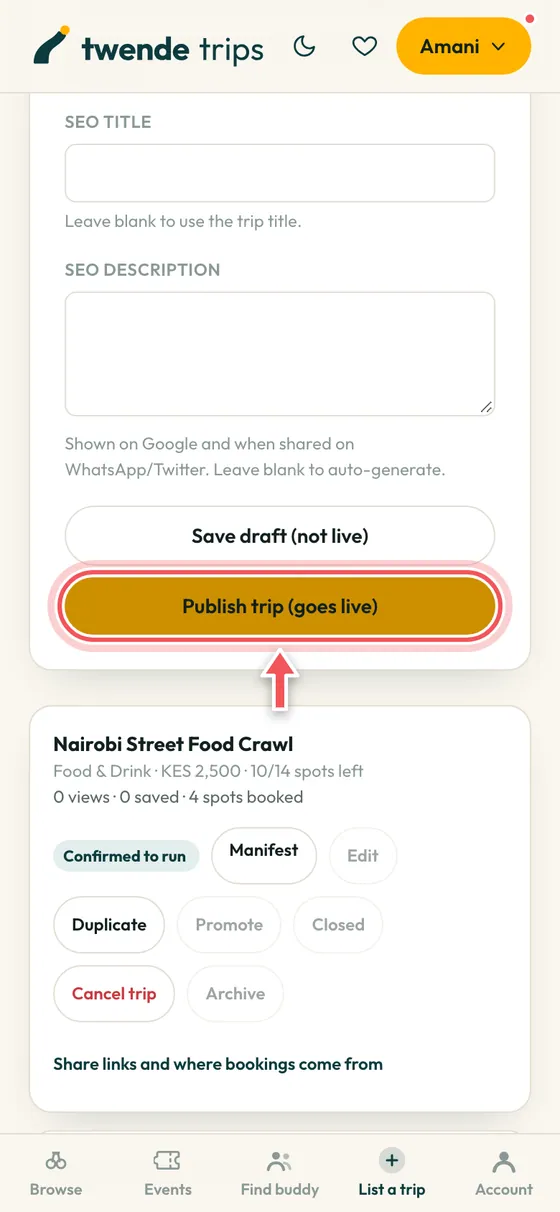
Publish
Tap Publish to go live. Your first trip is checked by our team before it appears. Or save a draft and finish later.
Run the trip
On the day you tick your guests in. That one step is also what unlocks the last part of your payout.
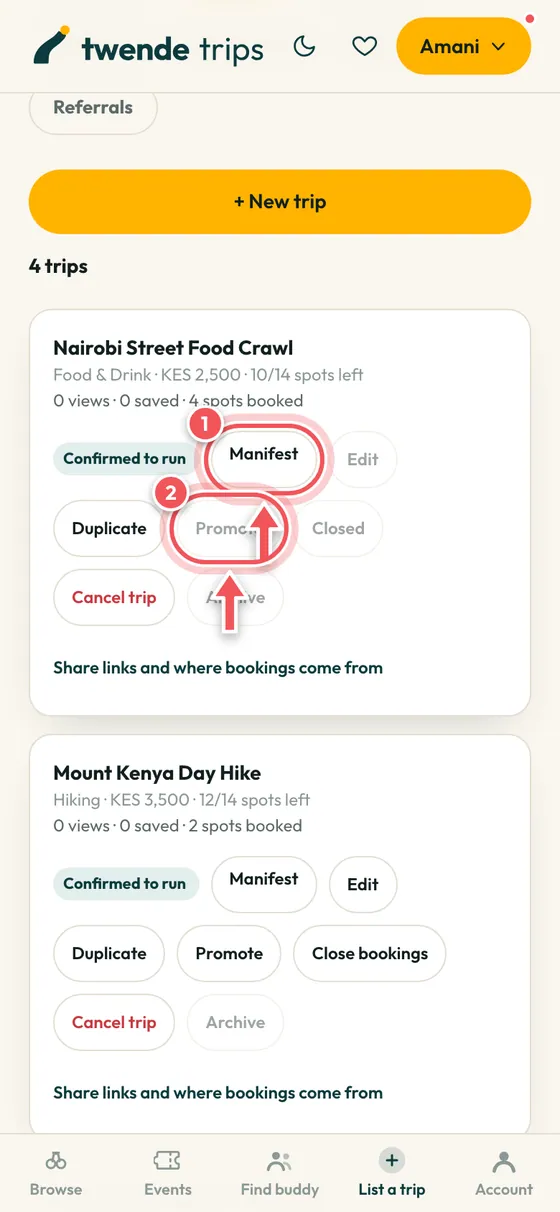
Manage your trips
Each trip has buttons for the guest list (Manifest), editing, duplicating, promoting it with a Featured badge, closing bookings and more.
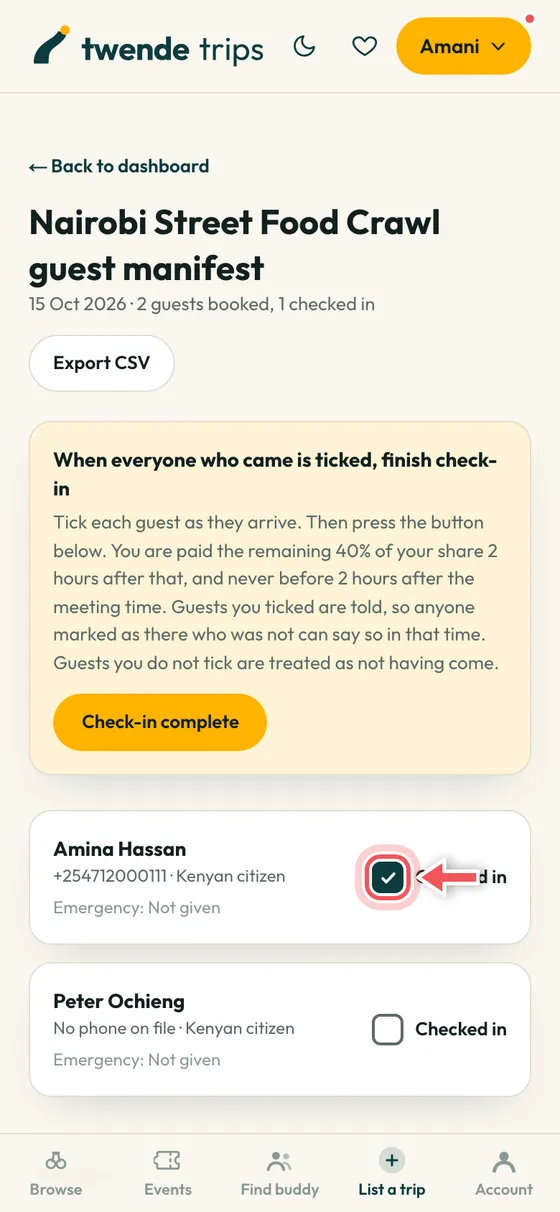
Tick guests in
Open the Manifest at the meeting point and tick each guest as they arrive.
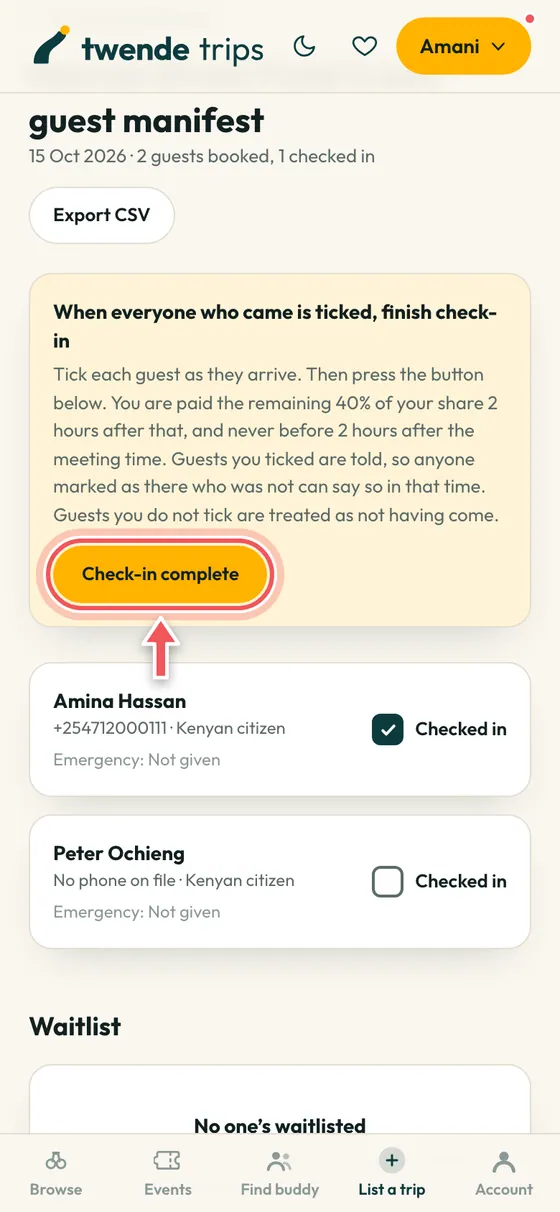
Press Check-in complete
When everyone who came is ticked, press Check-in complete. It opens 2 hours before the meeting time. The ticks lock, the guests are told, and the last 40% of your payout is paid 15 minutes later.
Get paid
You are paid in two parts: 60% of your share once your trip is confirmed, and the last 40% right after check-in.
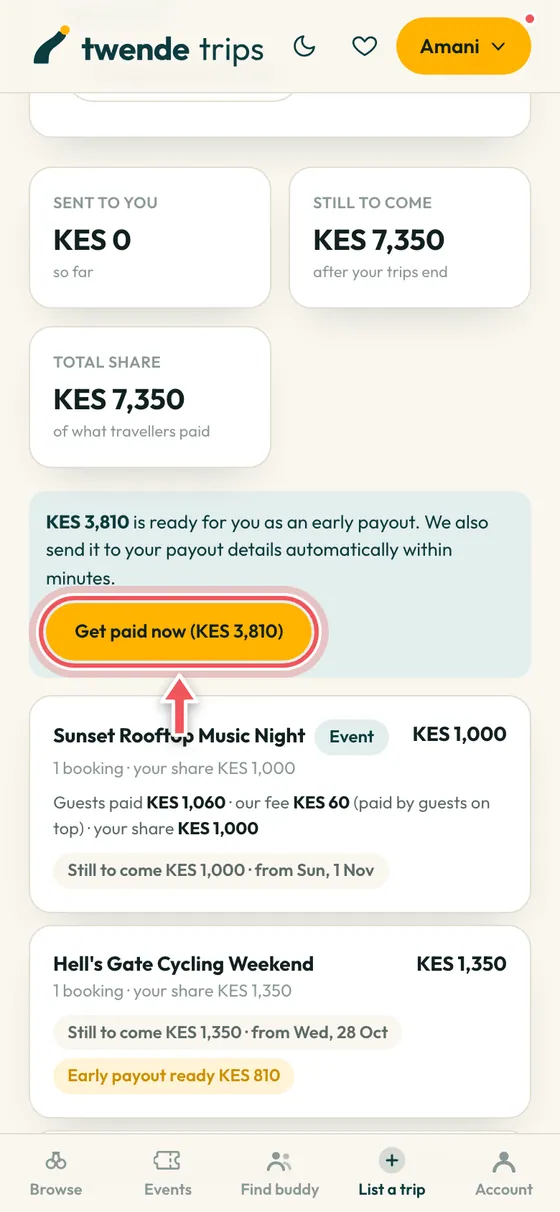
Press Get paid now
When money is ready, the Get paid now button lights up. Press it and the money is sent to your M-Pesa, Till, Paybill or bank, usually within minutes. If it stays grey, the line under it tells you why. Need more early for a hotel deposit? If you are an individual, use Need money sooner? on the same tab once the trip has reached its minimum, and ask before you press the button.
Host an event
Sell tickets to a concert, party or workshop, and check guests in at the door with a phone.
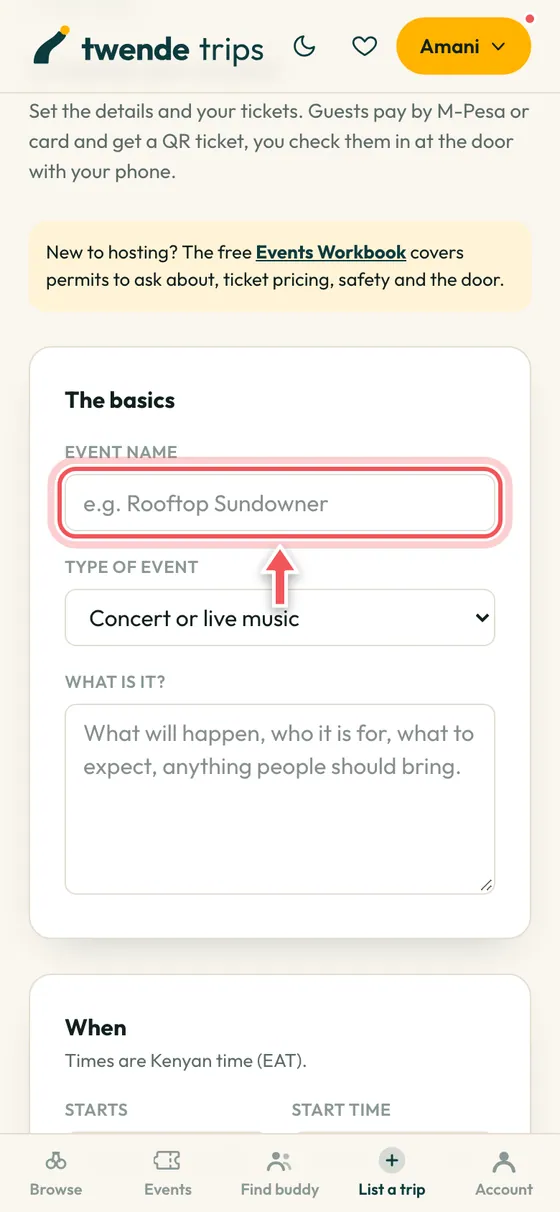
Create the event
Open My events, then Host an event. Add a name, the type of event, when and where.
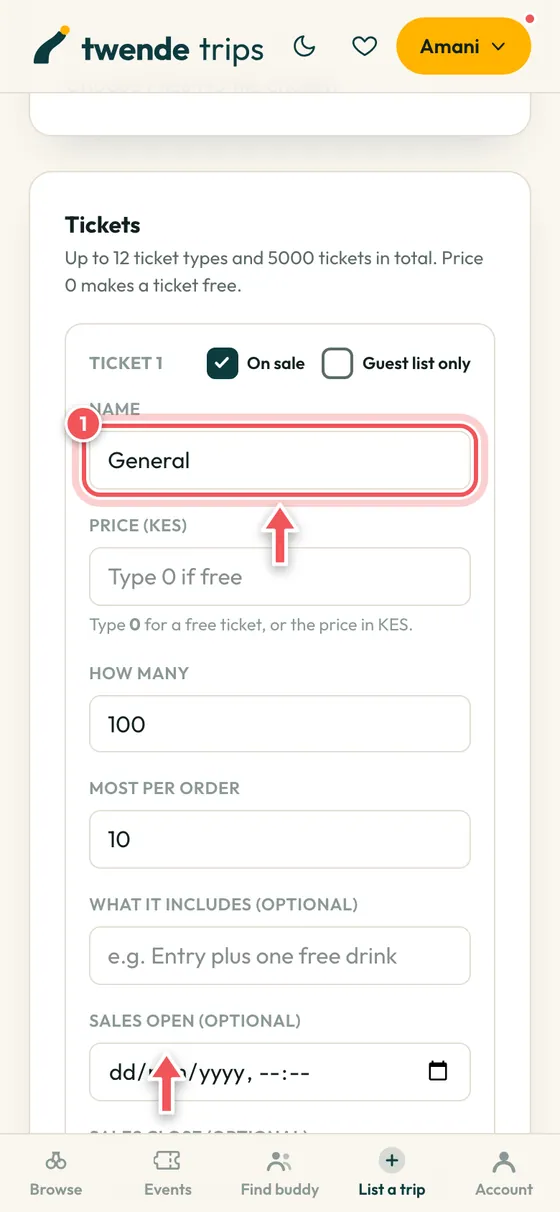
Set up tickets
Add ticket types with prices (type 0 for free) and how many are on sale. Guests pay by M-Pesa or card and get a QR ticket.
List your vehicles
Own vans, 4x4s or buses? Let travellers and leaders ask you for quotes.
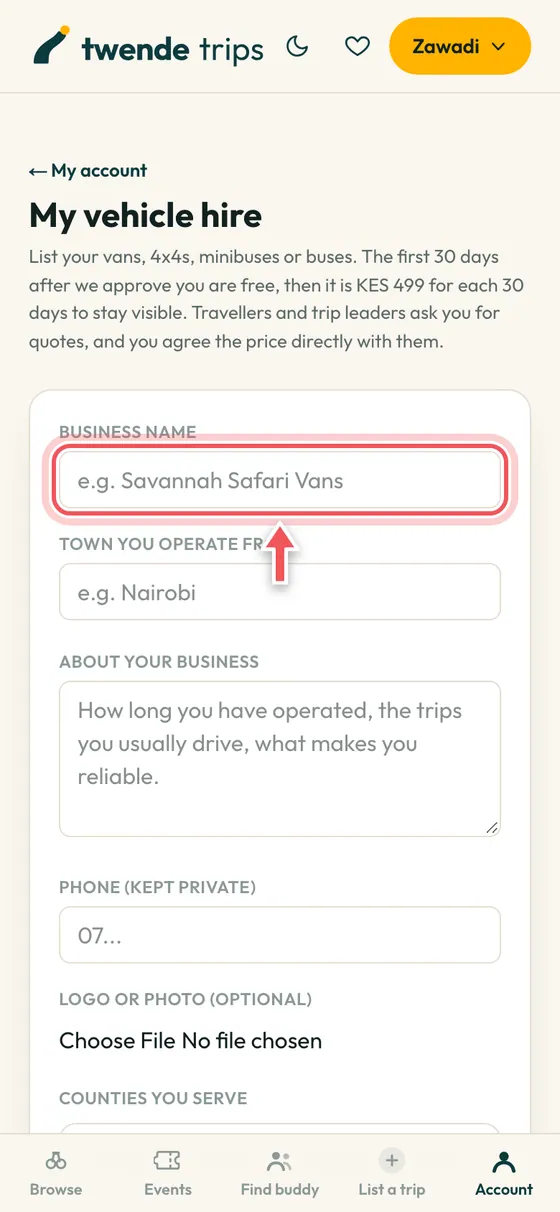
Register your business
Open My vehicle hire and add your business. The first 30 days are free, then it is KES 499 for each 30 days. You agree prices with customers directly.
Need a van or a bus?
Browse vehicle hire companies, send your route and dates, and they reply to you directly. We only pass on the request. The price, the contract and the payment are between you and the owner, outside TwendeTrips. Own vehicles? You can list them too, free for the first 30 days.
Cancellation policy
Every leader chooses one of these five published policies for their trip, and you see it before you pay. The policy you booked under is the one that applies to you, even if the leader changes it later. Never negotiated case by case.
- Flexible. Full refund up to 48 hours before. Best for short-notice trips and events.
- Moderate. Full refund up to 3 days before, half back up to 24 hours before.
- Standard. Full refund up to 14 days before, half back from 7 to 14 days.
- Strict. Full refund up to 30 days before, half back from 14 to 30 days.
- No refunds. Bookings are not refundable if the traveller cancels.
Whatever the policy, you are always refunded if the leader cancels or the trip doesn’t hit its minimum numbers, less the payment processing charge (about 1.5% for M-Pesa and 2.9% for cards). A payment made with an M-PESA request on your phone goes back to that same phone, less the same charge.